Distance from couch to TV: the size-by-distance guide
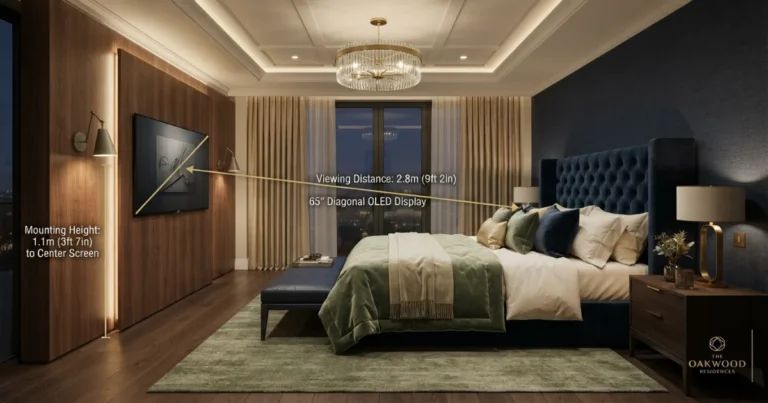
For a modern 4K television, start with a viewing distance of about 1.2–1.6 times the screen diagonal. That places a 65-inch TV roughly 6.5–8.7 feet from your eyes, depending on whether you want cinematic immersion or relaxed mixed viewing.
How far should a couch be from a TV?
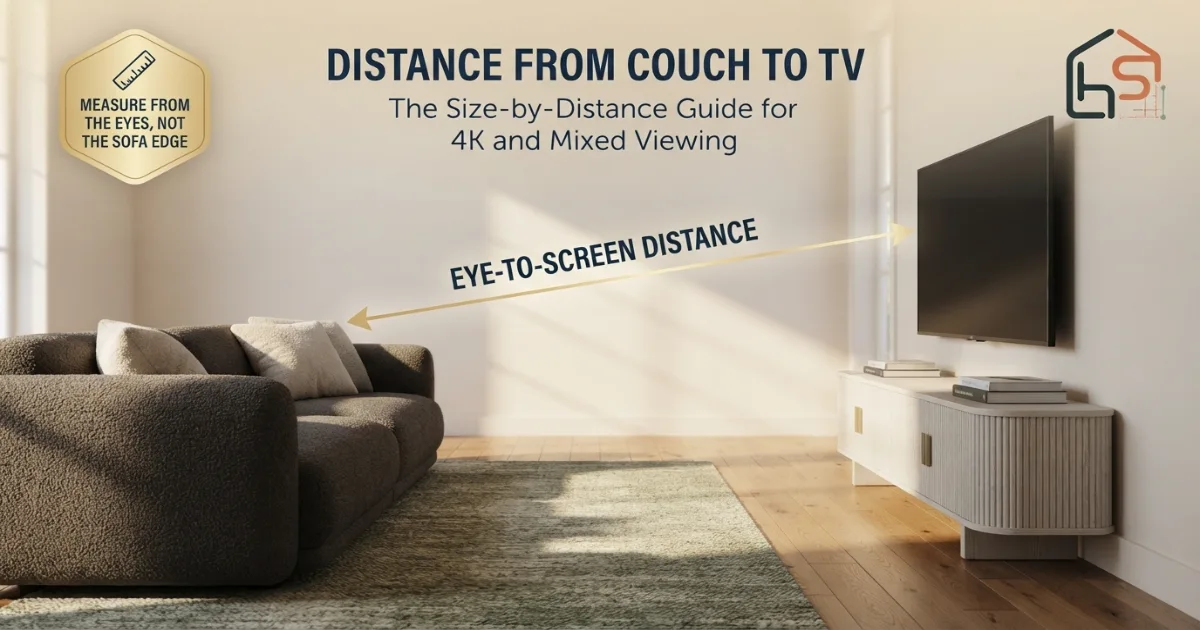
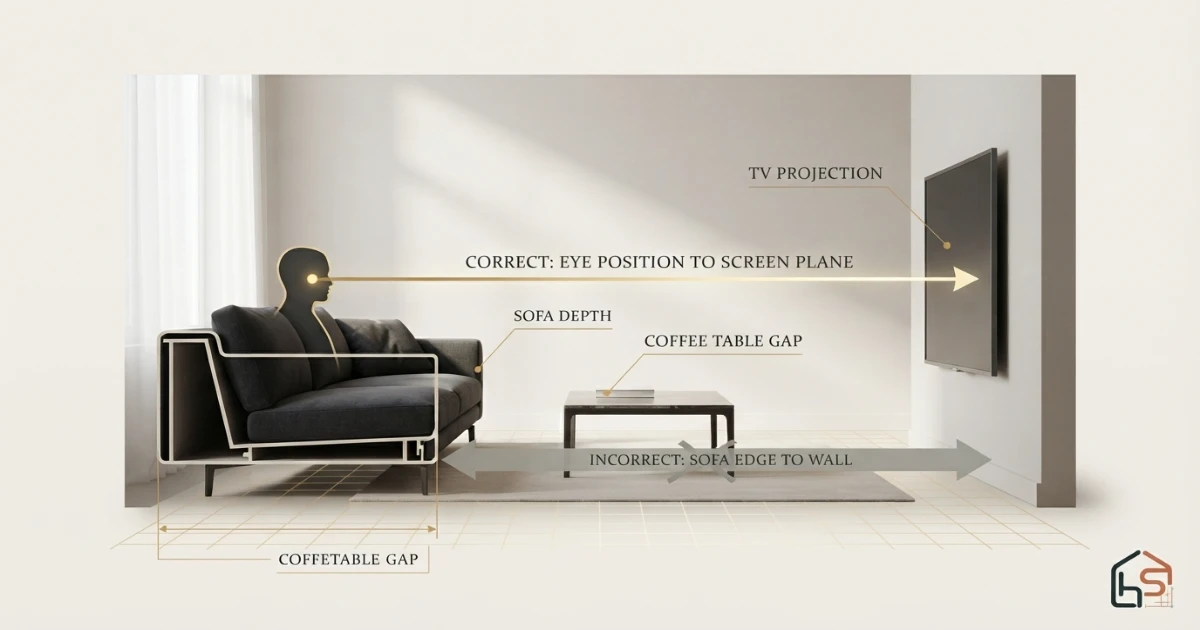
For most 4K living-room TVs, place the viewer’s eyes about 1.2–1.6 screen diagonals away. Use the closer end for movies and a 40° field of view; use the farther end for general TV, sports and a more relaxed 30° view. Always measure from the normal eye position—not from the sofa’s front edge or the TV wall.
Coordinate TV distance with sofa size and room depth
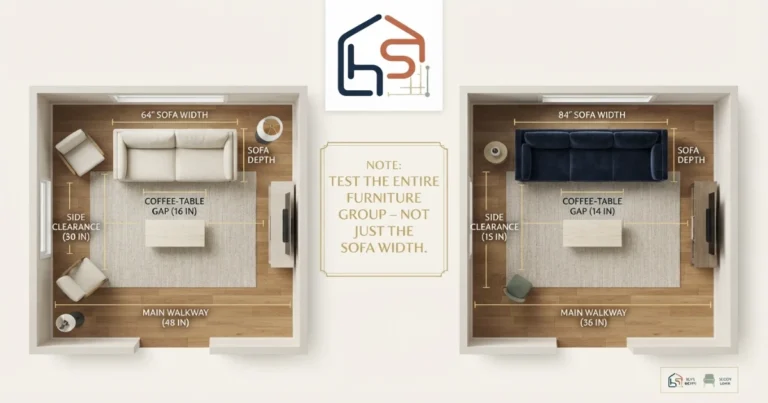
The diagonal formula establishes a viewing band. The complete layout must also leave room for sofa depth, a coffee table, circulation and the TV unit.
TV viewing-distance calculator
Enter the screen size, viewing preference and current eye-to-screen distance. The tool calculates a target, checks your sofa position and estimates the mixed-use TV size for the same distance.
Screen size is the advertised diagonal. Distance is from the viewer’s eyes to the front of the screen.
Your sofa is close to the mixed-use target.
This setup gives a relaxed, approximately 30-degree mixed-use view. Test subtitles and normal programs before mounting.
TV viewing-distance chart by screen size
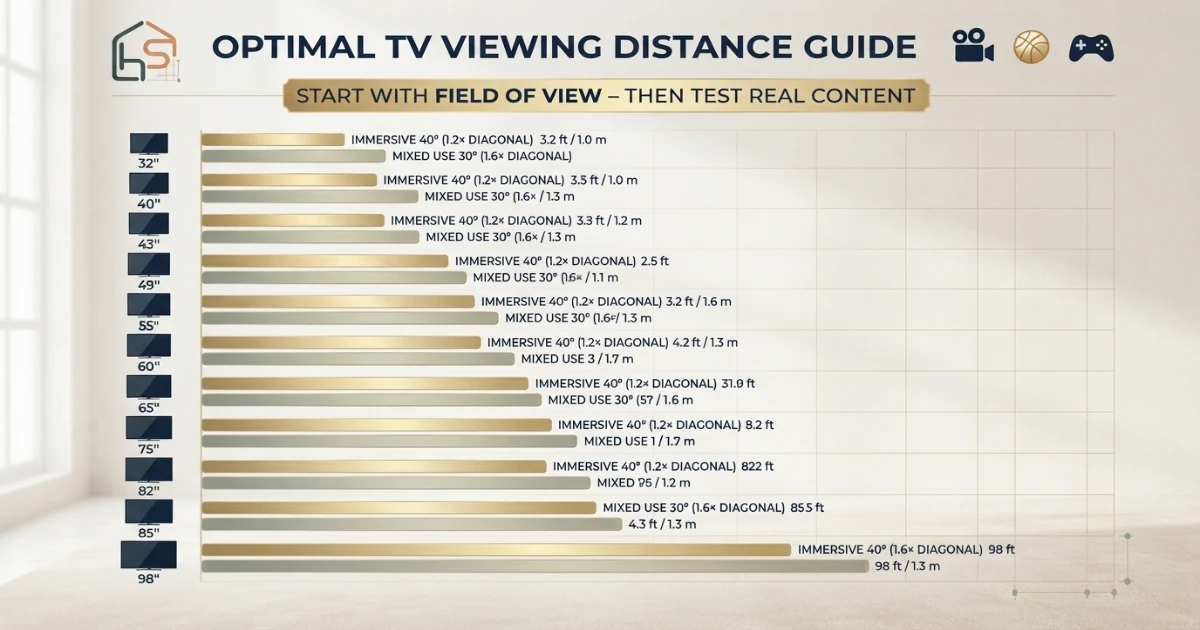
The chart below uses a practical 4K planning band: approximately screen diagonal × 1.2 at the immersive end and screen diagonal × 1.6 at the mixed-use end. These are not safety boundaries. They are two useful field-of-view targets that help you compare screen sizes consistently.
| TV size | Immersive 40° | Mixed use 30° | Approx. metric range | Best starting use |
|---|---|---|---|---|
| 32 inches | 3.2 ft | 4.3 ft | 1.0–1.3 m | Bedroom, office, compact room |
| 40 inches | 4.0 ft | 5.3 ft | 1.2–1.6 m | Small apartment seating |
| 43 inches | 4.3 ft | 5.7 ft | 1.3–1.7 m | Compact everyday TV |
| 50 inches | 5.0 ft | 6.7 ft | 1.5–2.0 m | Small-to-average room |
| 55 inches | 5.5 ft | 7.3 ft | 1.7–2.2 m | Average mixed-use room |
| 65 inches | 6.5 ft | 8.7 ft | 2.0–2.6 m | Average-to-large room |
| 75 inches | 7.5 ft | 10.0 ft | 2.3–3.0 m | Large room or movies |
| 77 inches | 7.7 ft | 10.3 ft | 2.3–3.1 m | Cinema-focused OLED setup |
| 83 inches | 8.3 ft | 11.1 ft | 2.5–3.4 m | Large seating zone |
| 85 inches | 8.5 ft | 11.3 ft | 2.6–3.5 m | Large mixed-use room |
| 98 inches | 9.8 ft | 13.1 ft | 3.0–4.0 m | Very large or cinematic room |
The fastest decision rule
Measure your eye-to-screen distance in inches and divide by 1.6 for a mixed-use TV size. At 9 feet, 108 ÷ 1.6 = 67.5, so a 65-inch TV is a strong starting point. Divide by 1.2 for a more immersive movie-oriented size.
How to measure the distance from couch to TV correctly
The phrase “distance between sofa and TV” sounds like a furniture-to-furniture measurement, but the viewing calculation is based on the relationship between your eyes and the displayed image. Measuring wall to wall, sofa front to console, or sofa back to TV can each produce a different and unreliable answer.
Use the seat occupied most often. In a shared room, also check the nearest, farthest and most angled regular seats.
Confirm door swings, windows, rug position and the main walkway before treating the sofa as fixed.
Lean against the back cushion as you normally watch. Do not measure while sitting unusually upright at the cushion edge.
A helper can hold the tape near the side of your head, or you can mark the position on the wall beside the sofa.
Run the tape toward the center of the front screen surface. If the TV will be wall-mounted, account for the mount’s actual projection.
Multiply feet by 12 and add the remaining inches. Example: 8 ft 6 in becomes 102 inches.
Divide the distance by 1.6 for mixed use and by 1.2 for immersion. Screen sizes are categories, so choose the nearest available size.
Outline the exact screen width and height with painter’s tape and watch varied content at the planned position.
30-degree versus 40-degree TV viewing
Two people can use the same 65-inch television at different distances and both be correct because they want different experiences. The useful variable is the horizontal field of view: how much of your vision the screen occupies.
Use roughly 1.6 times the diagonal. This is a balanced target for shows, sports, news and varied household use.
Use roughly 1.35 times the diagonal. It enlarges detail without pushing most interface elements too far outward.
Use roughly 1.2 times the diagonal. The picture feels larger and more theatrical, but subtitles and motion should be tested.
RTINGS uses approximately a 30° field of view for mixed use and expresses the relationship as viewing distance divided by 1.6 to estimate screen size. Samsung’s buying guidance describes a 40° immersive result and uses screen size multiplied by 1.2 for distance. These targets describe preference, not a universal boundary.
If the room hosts several activities, start near 30–36°. Move closer only after watching a full movie, fast sports, subtitles and a familiar program. A screen that feels impressive for a five-minute demo may feel busy over a long evening, while a setup that initially seems large can become comfortable after a few days.
Does 4K resolution change sofa-to-TV distance?
Yes, resolution affects how close you can sit before the pixel structure or lower-quality source becomes distracting. Modern 4K screens pack four times as many pixels as 1080p at the same physical size, so a closer position can retain a smooth, detailed image. Sony describes its 4K minimum using approximately 1.5 times the screen’s vertical height; because a 16:9 screen’s height is much smaller than its diagonal, that is a very close detail-focused limit rather than the only living-room placement.
4K television
Use the 1.2–1.6× diagonal band as the main planning range. High-quality 4K movies and games can support the closer end. Streaming compression, old broadcasts and low-bitrate sources may look cleaner a little farther away.
1080p television or mostly HD content
Start near the farther portion of the range. Sony’s HD guidance uses about three times the screen height, which is close to 1.5 times the diagonal for a standard 16:9 display. Move back if edges, text or compression artifacts become distracting.
8K television
Extra resolution can support very close inspection, but screen size, field of view, content quality and comfort still govern a living room. Do not buy an 8K label as a substitute for choosing the right diagonal and seating geometry.
Room-depth formulas: will the complete layout fit?
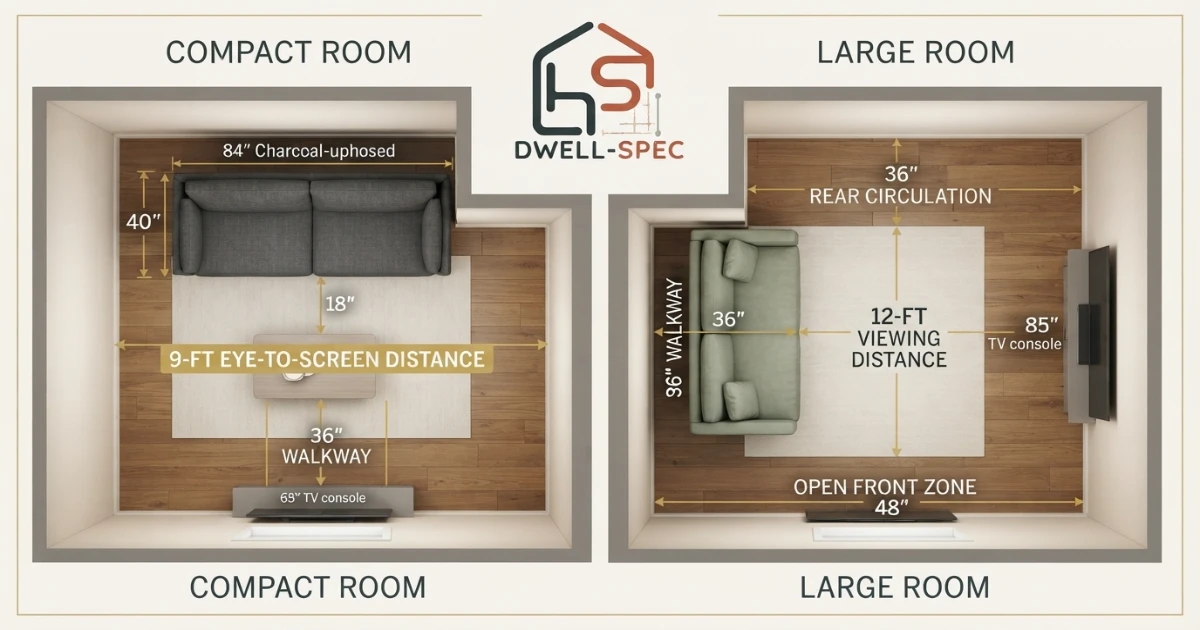
A correct eye-to-screen distance does not automatically create a workable room. The sofa has depth behind your eyes, and the television may project forward from the wall. Coffee tables and walkways occupy additional space but should not be added inside the eye-to-screen measurement twice.
Wall-mounted TV with sofa against the opposite wall
Required room depth ≈ space behind sofa + eye position within sofa + target viewing distance + TV projection
Example: 4 + 27 + 96 + 3 = 130 inches, or about 10 ft 10 in.Choose TV size from a fixed sofa position
Mixed-use screen diagonal = eye-to-screen inches ÷ 1.6
Immersive screen diagonal = eye-to-screen inches ÷ 1.2
Choose the available screen size closest to the experience you prefer; do not average the two results automatically.When buying the sofa at the same time, use its complete depth—not only seat depth. A deep sectional can move the eyes considerably closer to the TV wall than a shallow apartment sofa placed on the same back line. Check the Standard Sofa Dimensions Chart and then enter the room into the Sofa Size Calculator.
TV distance, mounting height and side angle
Viewing distance controls image size in your vision, but it cannot correct a television mounted uncomfortably high or far off center. Establish the main seat, set a comfortable sightline, and then calculate the distance. If the TV sits over a tall fireplace, increasing sofa distance may reduce the upward angle but can make the image too small. A lower alternative wall or a different furniture plan may be the better solution.
A practical starting point is to keep the center region of the screen near the seated eye line, with modest adjustment for furniture and reclined posture. Test the exact household rather than copying a fixed “inches from floor” number; a low lounge sofa, upright chair and reclining sectional create different eye heights.
Side seating
A sectional creates multiple horizontal angles. Picture quality and comfort can change as a viewer moves away from the centerline, especially on TVs with a narrower usable viewing angle. Center the screen on the priority seat or the midpoint of the seats used most, then physically sit in the outside positions.
Corner-mounted television
Measure diagonally from each regular eye position to the screen plane. The closest seat may experience a large field of view while the far seat sees a much smaller picture. Rotate the screen toward the viewing group and keep the mount within its rated position.
TV console versus wall mount
A console may bring the screen 12–20 inches into the room; a slim wall mount may place it only a few inches from the wall. Measure to the final screen plane. Never substitute wall-to-sofa distance when comparing the two options.
Distance from a sectional sofa to the TV
There is no single viewing distance for an L-shaped or U-shaped sectional. Treat the layout as a range of seats. Record the distance and side angle from the center seat, chaise, return and frequently used corner. The target TV size should serve the priority seats without making the nearest seat overwhelming.
L-shaped sectional
Align the TV with the longest bank of seats when that is the main audience. The short return may function better for conversation than serious viewing. If both sides must watch, an articulating mount can improve the screen orientation, but moving hardware must keep safe clearances and follow the manufacturer’s installation instructions.
Sectional with chaise
The chaise viewer’s eyes may be farther forward when reclining, shortening the real distance. Test in the posture actually used for movies. Also verify that the chaise does not force the coffee table into a route or reduce the recommended distance between couch and coffee table.
Two facing sofas
If the sofas primarily face each other, a TV on the side wall creates severe neck rotation. Consider placing the screen on the end wall, changing one sofa to chairs, or defining a conversation-first room where television is secondary. Distance alone cannot solve a 90-degree viewing direction.
Adjusting TV distance for movies, sports, gaming and subtitles
Movies
Movie-focused rooms often benefit from the 40° end of the range because the image fills more of the visual field. Watch widescreen content, bright scenes, dark scenes and a full-length program before finalizing. If your eyes constantly scan or subtitles sit uncomfortably wide, move the sofa back or select the next smaller screen.
Sports
Around 30–36° works well for many sports rooms because the full field, score graphics and fast movement remain easy to follow. A large group also benefits from checking the side seats rather than optimizing only the center chair.
Console gaming
Games with small interface text can benefit from a larger field of view, but competitive games may demand awareness of every corner. Start near 1.35 times the diagonal, verify text size and motion comfort, and make sure controllers and cables do not create a route hazard.
Subtitles and accessibility
Do not automatically move the sofa too close to compensate for tiny captions. Increase caption size and contrast in the television or streaming app when available, then choose a comfortable screen distance. Users with specific vision or mobility needs should prioritize their own tested comfort.
Casual background viewing
A kitchen-adjacent or open-plan room may feel better at the farther end because viewers are not always centered or seated. The screen should remain legible without visually dominating every activity zone.
What if the living room is too small or too long?
TV feels too large in a small room
First verify the true eye-to-screen distance; the front sofa edge can make the room appear shorter than the viewing line. If the screen still feels overwhelming, choose a smaller diagonal, use the farther sofa position without blocking circulation, or reduce visual competition around the TV. Do not block a doorway merely to hit a formula.
TV looks small in a long room
Moving the sofa several feet from the back wall can create a better viewing zone and a useful route or console area behind it. If the furniture must stay back, calculate the mixed-use diagonal from the fixed distance. At 12 feet, 144 ÷ 1.6 suggests about a 90-inch screen, so a 55-inch television is likely to look relatively small.
Open floor plan
Define the viewing zone with a rug and seating rather than letting the entire open room determine distance. A floating sofa can establish the correct eye-to-screen line while preserving circulation behind it. Check power, floor outlets and cable management before final placement.
Real-room details that can change the final position
Reclining sofa or adjustable headrest
A recliner changes both eye position and viewing angle after it opens. Measure once while upright and again in the position used for movies. The viewer may move several inches forward, backward or lower as the mechanism travels. Outline the open footrest as well; a mathematically correct TV distance is not useful if the coffee table blocks the recliner or the remaining route becomes unsafe. The planned recliner wall clearance should include the full operating footprint, not only the closed furniture size.
Soundbar, center speaker and media console
Leave enough space for audio equipment without lifting the screen far above the intended sightline. A tall center speaker or decor arrangement can tempt you to mount the television unnecessarily high. Select the console and audio layout before drilling, confirm ventilation requirements in the product manuals, and keep remote-control sensors unobstructed. If a soundbar projects beyond the console, it changes furniture clearance but not the eye-to-screen calculation.
Windows, reflections and evening lighting
Glare can make a good viewing distance feel poor because users lean, shift or close curtains to see dark scenes. Test the proposed screen location in daylight and after lamps are on. Rotate the seating group or control reflections before increasing TV size solely to overpower a bright room. Avoid placing unstable seating in a circulation path just to escape glare.
Children, pets and shared rooms
Anchor or secure furniture and the television according to the manufacturer’s instructions, especially when children may climb or pets may bump the console. Keep cables controlled and hot electronics ventilated. The screen-size formula addresses viewing experience only; it does not determine installation safety, wall suitability or tip-over protection.
Common sofa-to-TV distance mistakes
- Measuring from the front sofa legs instead of the viewer’s normal eye position.
- Measuring to the TV wall instead of the front plane of the screen.
- Using one generic “three times the screen size” rule for every resolution and use.
- Confusing screen diagonal with screen width.
- Buying only for a dramatic showroom impression rather than a full evening of viewing.
- Choosing TV size before fixing the sofa position and its real depth.
- Ignoring the nearest and most angled seats on a sectional.
- Moving the sofa into a doorway, heating path or circulation route to hit a calculated number.
- Mounting the TV before testing height, subtitles and side viewing.
- Assuming 4K content quality is identical across all streams, broadcasts and old programs.
- Making the television smaller when accessibility settings could improve caption readability.
- Forgetting that a console can bring the screen much farther into the room than a wall mount.
A no-regret setup process
Account for windows, glare, heat, doors, speakers, outlets and mount structure.
Place the sofa so the room still works for circulation and conversation.
Use normal seated posture and the projected front plane of the display.
Divide distance by 1.6 for mixed use and by 1.2 for immersion.
Use mixed viewing, gaming, movies or accessibility needs to choose within the range.
Look up body dimensions because bezels and stands differ even at the same diagonal.
Check subtitles, sports, movies, menus, low-quality broadcasts and games.
Review distance, height and side angle from the entire seating group.
Confirm coffee table distance, walkway clearance, recliner travel and door swings.
Follow TV and mounting-hardware instructions, including wall structure and load limits.
Final answer
The best distance from couch to TV for a modern 4K screen is usually about 1.2–1.6 times the TV’s diagonal size. Measure from the viewer’s normal eye position to the front screen surface. Use 1.6× for a relaxed 30° mixed-use view, 1.35× for a balanced gaming setup, and about 1.2× for a 40° movie-focused experience.
That means approximately 5.5–7.3 feet for a 55-inch TV, 6.5–8.7 feet for a 65-inch TV, 7.5–10 feet for a 75-inch TV and 8.5–11.3 feet for an 85-inch TV. Treat these as starting bands. The final position should pass real tests for subtitles, motion, picture quality, side seats, mounting height and the room’s circulation.
Planning the complete living room?
Check furniture depth and circulation with the Sofa Size Calculator, then preserve the correct sofa-to-coffee-table distance.
Sources and calculation references
These references support the field-of-view, resolution and measuring principles. HomeStyle Calculator applies them to sofa placement, room-depth planning and real-use testing.
- RTINGS — TV Size to Distance Calculator (30° mixed-use relationship and distance ÷ 1.6 screen-size method).
- Samsung — What Size TV Should I Get? (40° immersive relationship and screen size × 1.2 method).
- Sony — Recommended Viewing Distance for Watching TV (4K and HD screen-height guidance).
- LG — How to Measure and Read TV Sizes (diagonal screen measurement and TV-dimension planning).
Build the complete living-room layout
Distance from couch to TV FAQs
What is the best distance from couch to TV?
For a modern 4K TV, start around 1.2–1.6 times the screen diagonal. The closer end creates an immersive 40° view; the farther end creates a relaxed 30° mixed-use view.
How far should a couch be from a 55-inch TV?
About 5.5–7.3 feet (1.7–2.2 m) is a practical 4K range. Start near 7.3 feet for mixed everyday viewing or near 5.5 feet for a more cinematic image.
How far should a couch be from a 65-inch TV?
About 6.5–8.7 feet (2.0–2.6 m). Around 8.5 feet suits mixed viewing, while 6.5–7.5 feet creates a larger, more immersive field of view.
How far should a couch be from a 75-inch TV?
About 7.5–10 feet (2.3–3.0 m), measured from your normal eye position to the front of the television screen.
How far should a couch be from an 85-inch TV?
About 8.5–11.3 feet (2.6–3.5 m). Choose the closer end for movies and the farther end for relaxed shows, sports and mixed viewing.
Do you measure TV distance from the couch or your eyes?
Measure from the viewer’s eyes in a normal seated posture to the front screen plane. Measuring from the wall, front legs or front sofa edge can shift the answer substantially.
Does 4K let you sit closer to a TV?
Yes. Higher pixel density makes individual pixels less visible than on a same-size lower-resolution screen, although streaming quality, program resolution and personal comfort still affect the result.
Is 10 feet too far from a 55-inch TV?
It is farther than the roughly 7.3-foot 30° target, so fine detail and subtitles may look small. It can still be comfortable, but a 75-inch screen uses a 10-foot mixed-viewing distance more fully.
Should the TV be centered on the sofa?
Center it on the primary viewing position when possible. With a sectional, prioritize the seats used most and test the outside seats for excessive side angle.
Does TV mounting height change the viewing distance?
Height does not replace the distance calculation. Set a comfortable seated sightline, then verify that the screen size and distance work without prolonged upward or sideways head rotation.