65 vs 75 inch TV: Best complete buying guide
65 vs 75 inch TV is a meaningful upgrade decision: the 75-inch screen is about 8.7 inches wider, 4.9 inches taller and 33.1% larger in visible picture area, but it also needs more wall width, stand space and budget.
Written and reviewed by Rehana K · HomeStyle Calculator measurement-first method.
65 vs 75 inch TV: the 75-inch screen gives about 33% more picture area.
Choose 65 inches for viewing around 7 to 10 feet, mixed-quality television, easier furniture fit and a visually calmer room. Choose 75 inches for longer distances, 4K movies, sports, subtitles and stronger immersion.
The diagonal grows by 10 inches, but the visible screen area grows by 33.1%. That is why the 75-inch TV looks noticeably larger rather than only slightly larger.
65 vs 75 inch TV: verify every measurement before buying
Use viewing distance first, then confirm actual width, stand fit, mounting height and the next larger comparison.
Real 65-inch versus 75-inch differences from screen area to room fit
65 vs 75 inch TV comparison calculator
Enter viewing distance, content quality, viewing priority and usable wall or stand width.
Recommended option
Based on distance, content and priority.
Screen only; bezels vary.
Useful for mounting planning.
Complete model dimensions still required.
A 75-inch TV is the stronger starting choice for a 9-foot balanced 4K setup. Confirm complete width and compare a 65-inch outline.
65 vs 75 inch TV real size and dimensions chart
65 vs 75 inch TV labels describe diagonal screen measurements, not physical width. Because both use the same 16:9 aspect ratio, the 75-inch screen is larger in width, height and total picture area.
| Measurement | 65-inch TV | 75-inch TV | Real difference |
|---|---|---|---|
| 65 in | 56.7 in | 31.9 in | ≈1,805 sq in |
| 75 in | 65.4 in | 36.8 in | ≈2,404 sq in |
| Difference | +8.7 in | +4.9 in | ≈598 sq in |
| Approx. screen area | 1293 sq in | 1805 sq in | +33.1% |
| Common character | Compact and relaxed | Balanced and immersive | Stronger visual presence |
Product width, height, depth, feet and weight differ by model. The chart measures the visible 16:9 screen only and should be followed by the manufacturer’s complete dimensions.
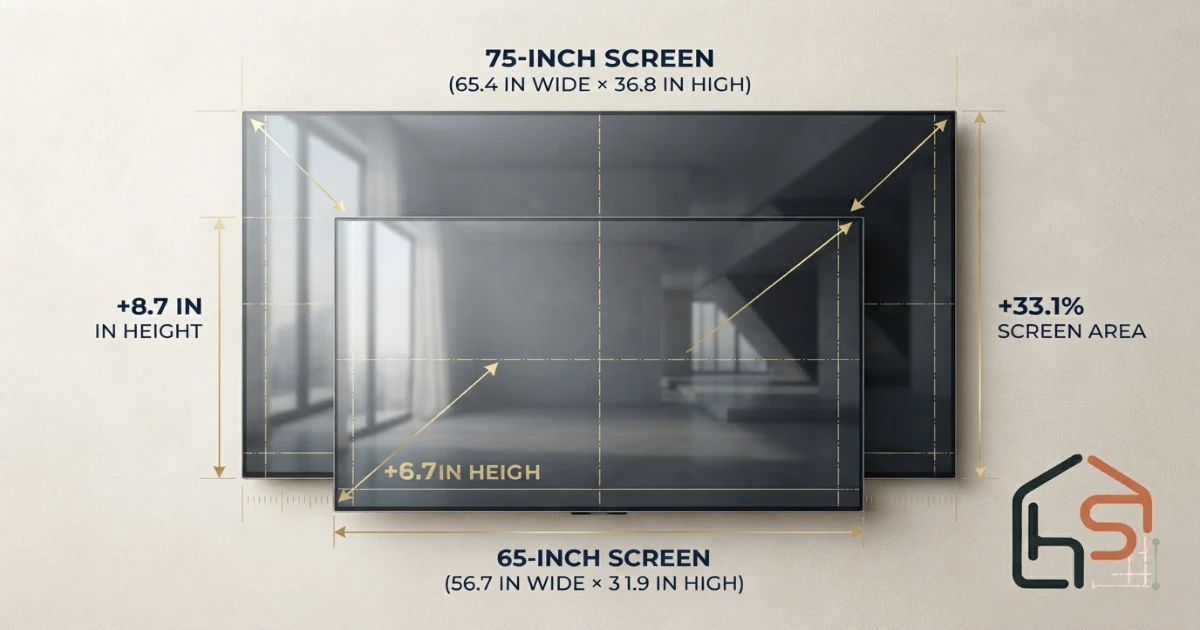
Why the 75-inch screen looks much more than 10 inches bigger
A television’s advertised size is the diagonal, but the viewer experiences the full rectangular area. Because both width and height increase together, screen area grows faster than the diagonal number suggests.
A 65-inch 16:9 screen is approximately 56.7 inches wide and 31.9 inches high, giving about 1,805 square inches of visible area. A 75-inch screen is approximately 65.4 inches wide and 36.8 inches high, giving about 2,404 square inches.
The difference is roughly 598 square inches, or 33.1% more visible picture area. Width and height each increase by about 15.4%, but multiplying those two increases produces the larger area gain.
This extra area makes subtitles, faces, sports action and game interfaces easier to see. It also makes poor compression, reflections and weak source quality more obvious.
Real-area formula
Screen area scales with the square of the diagonal. The ratio 65² ÷ 55² equals about 1.397, which means approximately 33.1% more picture area.
65 vs 75 inch TV by viewing distance
Viewing distance is the strongest practical factor in a 65 vs 75 inch TV decision. Measure from the main viewer’s eyes to the planned screen surface, not from the sofa edge or back wall.
At roughly 7 to 8 feet, 65 inches is balanced and 75 inches is immersive. At 9 to 10 feet, 65 inches feels relaxed while 75 inches usually feels balanced. At 11 to 12 feet, 75 inches more clearly preserves subtitles, sports detail and movie impact.
Personal preference still matters. Some viewers enjoy a 75-inch screen at 7 feet for cinema and gaming, while others prefer 65 inches at 9 feet for calm mixed television.
Use the dedicated TV Size for 8 Feet, TV Size for 10 Feet and TV Size for 12 Feet guides to compare the two screens at your exact seating position.
| Viewing distance | 65-inch TV | 75-inch TV | Better starting choice |
|---|---|---|---|
| 5–6 ft | Immersive and clear | Very immersive | 65 for mixed use; 75 for cinema/gaming |
| 7–8 ft | Comfortable and relaxed | Balanced and stronger | 75 for most 4K living rooms |
| 9–10 ft | Can feel small | Relaxed to balanced | 75; also compare 85 inches |
| Over 10 ft | Usually undersized | May still feel modest | Compare 85 or 85 inches |
Use the TV Size for 8 Feet, TV Size for 10 Feet and TV Size for 12 Feet guides for distance-specific decisions.
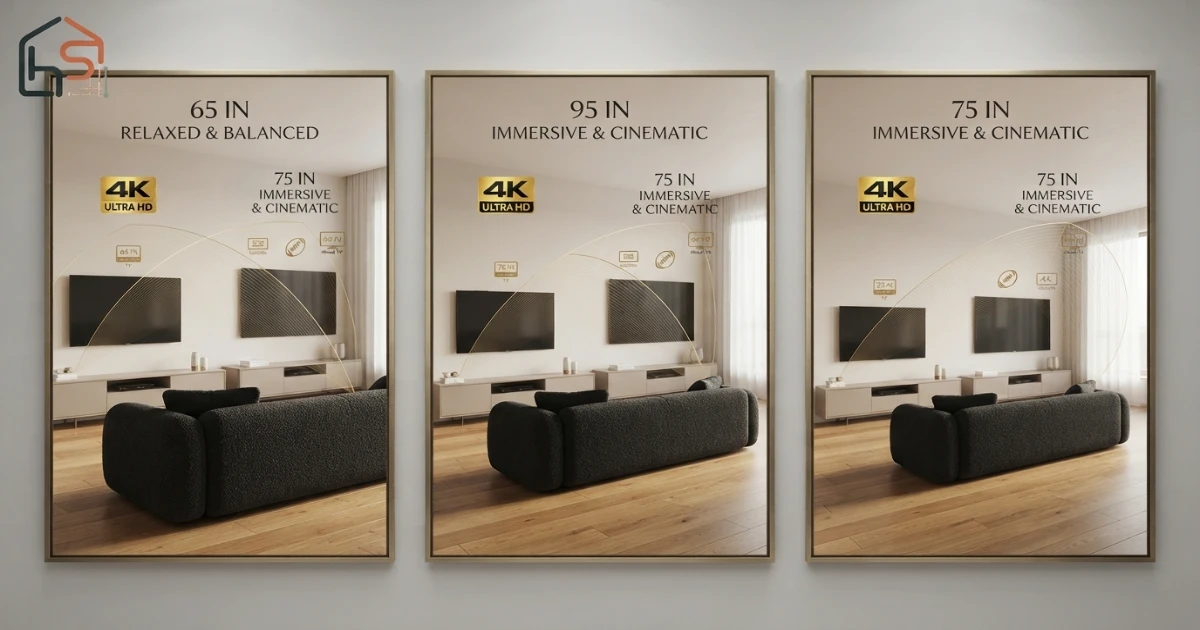
When the 65-inch TV is the better choice
Choose the 65-inch TV when the room is compact, the main seat is around 7 to 9 feet away or the screen should not dominate the wall.
It is easier to fit on existing furniture because the visible screen is about 56.7 inches wide. Many complete models remain manageable on medium media consoles, although exact foot spacing still needs to be checked.
A 65-inch screen is forgiving with mixed cable channels, older video and heavily compressed streams. It also leaves more wall space for speakers, shelves and artwork.
The compromise is scale. At longer distances, subtitles and distant sports detail may feel less clear than on a 75-inch screen.
When the 75-inch TV is the better choice
Choose the 75-inch TV when the main seat is around 9 to 12 feet away, most content is 4K or high-quality HD, or movies, sports and subtitles are important.
Its visible screen is about 65.4 inches wide and 36.8 inches high. The larger picture creates stronger immersion without reaching the installation demands of many 85-inch models.
The 75-inch category is especially useful in medium and large family rooms where 65 inches feels visually small after furniture and wall scale are considered.
The compromises are price, weight, wall width and stand fit. Some wide-set feet require a larger console or wall mounting.
65 vs 75 inch TV wall, stand and furniture fit
The 75-inch screen needs about 8.7 inches more visible width than the 65-inch screen. Bezels add a little more, so check the exact complete product dimensions.
Measure the uninterrupted wall area after excluding windows, doors, shelves, speakers and trim. Leave visual breathing room and access for power, HDMI and ventilation.
For furniture placement, confirm the TV’s foot spacing, foot depth and weight. A console can be wide enough for the screen but still too narrow for the feet.
Many rooms look balanced when the console is wider than the complete TV. Safety and manufacturer support requirements come before the visual rule.
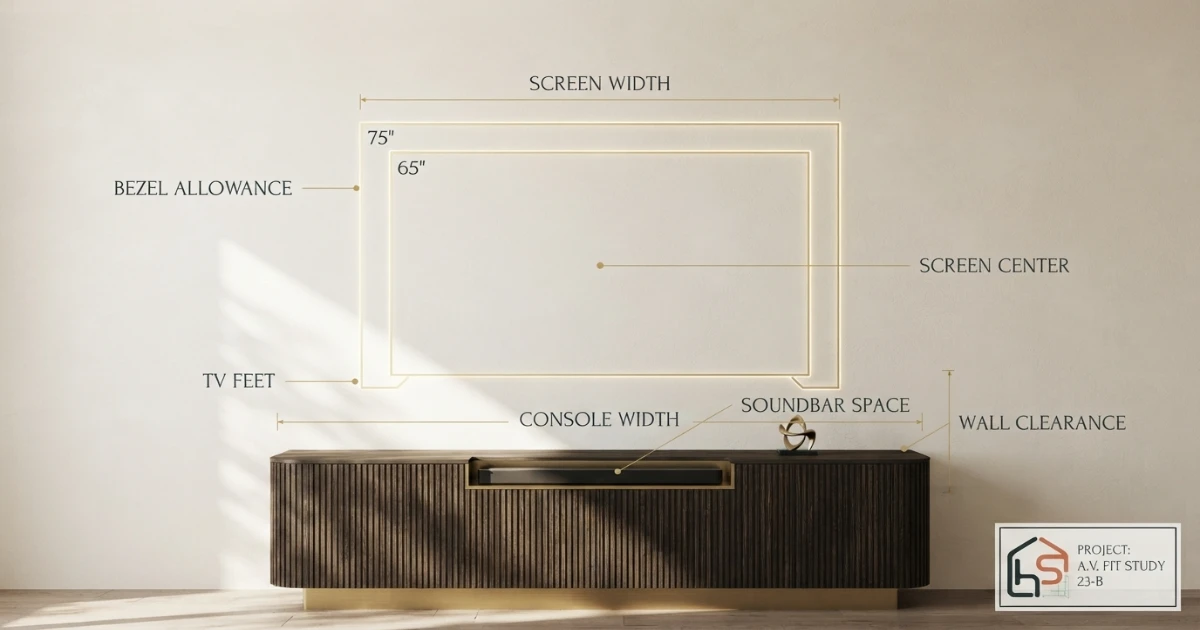
65 vs 75 inch TV for movies, sports, subtitles and gaming
For movies, the 75-inch TV creates a noticeably stronger field of view and makes letterboxed films feel less reduced by black bars.
For sports, the larger screen improves player visibility, score graphics and field detail from longer seating distances.
For subtitles, 75 inches is easier to read without leaning forward. This benefit can matter more than cinematic immersion for many households.
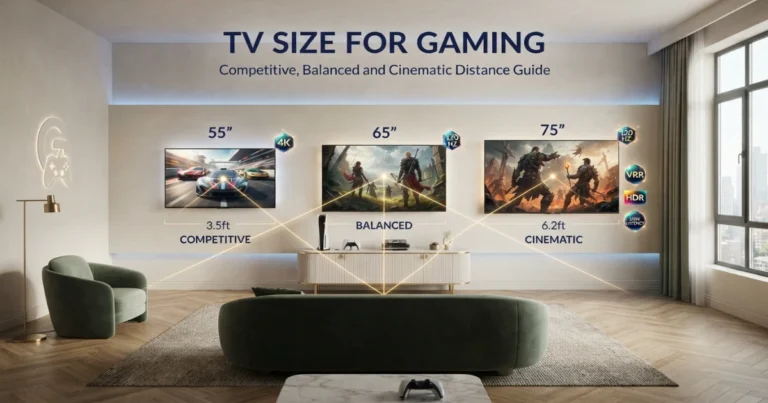
For console gaming, the 75-inch screen is more immersive, while the 65-inch option can feel easier for competitive games with interface elements near the edges.
For mixed cable and lower-resolution content, the 65-inch screen hides compression flaws more effectively. A good 4K source supports both sizes.
Movies and streaming
The 75-inch TV creates a more cinematic field of view and gives letterboxed films a larger active picture. The 65-inch option remains suitable in compact rooms and at shorter distances.
Sports
The larger screen makes players, ball movement and score graphics easier to follow. At 7 to 9 feet, 75 inches is normally the stronger sports choice.
Subtitles and eyesight
The additional height and width improve subtitle readability. Viewers who lean forward to read a 65-inch screen often benefit from 75 inches, provided the seating distance and resolution are suitable.
Gaming
Console gaming gains immersion on 75 inches, especially for racing, adventure and sports titles. Competitive players sitting close may prefer 65 inches because interface elements remain within a tighter field of view.
News and casual television
For background viewing, news and mixed channels, 65 inches can be sufficient and less visually dominant. It may also hide compression flaws better.
Use the 4K Viewing Distance Guide and TV Size for Gaming guide for specialized use.
Does mounting height change between 65 and 75 inches?
Both screens should be positioned from the screen center, not from the top or bottom edge. The 75-inch screen is about 4.9 inches taller, so keeping the same bottom height raises its center by roughly 2.45 inches.
Mark the proposed centerline and outline each screen with painter’s tape. Sit normally for several minutes before choosing the mount height.
Leave clearance for a soundbar and media console without forcing the television too high. The screen center should remain close to seated eye level unless room constraints require a modest tilt.
Use the TV Mounting Height Guide for a full measurement process.
Picture quality versus picture size
A larger screen does not automatically provide better picture quality. Panel technology, brightness, black levels, processing, motion handling and source quality may matter more than ten inches of diagonal.
When the budget is fixed, compare a higher-quality 65-inch model with a basic 75-inch model. The better choice depends on viewing conditions. A bright room may benefit from stronger reflection handling, while a dark movie room may prioritize contrast.
Do not sacrifice essential features solely for size. Confirm input count, gaming features, operating system, audio support and warranty. Then decide whether the remaining budget supports the larger diagonal.
65 vs 75 inch TV: six real-room examples
Example one: 6-foot apartment setup. A 65-inch TV already feels immersive and leaves more wall space. Choose 75 inches only when movies and gaming are the clear priority.
Example two: 8-foot family room. The 75-inch TV is the balanced recommendation for mainly 4K streaming, sports and subtitles. A 65-inch set works when the room should remain visually calm.
Example three: 10-foot living room. Choose 75 inches over 65. Also outline a 85-inch screen because both smaller options may feel relaxed at that distance.
Example four: 52-inch-wide console. A 65-inch screen may fit depending on complete dimensions and foot spacing. Many 75-inch models require wall mounting or a wider console.
Example five: mixed cable and old content. A quality 65-inch TV may look cleaner than a larger basic model because compression artifacts are less enlarged.
Example six: subtitle-heavy movie viewing. The 75-inch screen gives text and faces more scale, making the upgrade worthwhile when the wall and budget allow.
Is upgrading from 65 to 75 inches worth it?
The upgrade is worth it when the seating distance is long enough, the wall is broad, most viewing is 4K and the household values movies, sports, subtitles or gaming.
It may not be worth it when the 65-inch screen already fills the preferred field of view, the room is narrow, source quality is poor or the larger model forces compromises in panel quality.
Compare equal-quality models. A premium 65-inch television can produce better contrast, motion and viewing angles than a budget 75-inch television.
Outline both sizes and compare the total installed cost, including mount, console, delivery, soundbar placement and cable management.
Common 65 vs 75 inch TV comparison mistakes
- Judging only the 10-inch diagonal difference.
- Ignoring the 33.1% screen-area increase.
- Confusing screen width with complete product width.
- Measuring from the sofa edge instead of the viewer’s eyes.
- Assuming an existing stand supports the 75-inch model.
- Ignoring foot spacing, depth and weight.
- Mounting the larger TV from the old bottom-edge position.
- Choosing size without considering 4K versus compressed content.
- Ignoring glare, side viewing and soundbar space.
- Skipping painter’s-tape outlines of both sizes.
65 vs 75 inch TV buying checklist
- Measure eye-to-screen viewing distance.
- Outline 56.7 × 31.9 inches for the 65-inch screen.
- Outline 65.4 × 36.8 inches for the 75-inch screen.
- Check complete model dimensions and bezel width.
- Measure stand width, depth and foot spacing.
- Confirm TV and mount weight ratings.
- Compare 4K, mixed HD and lower-resolution content.
- Test subtitles and sports graphics from the main seat.
- Mark screen center near seated eye level.
- Check window and lamp reflections.
- Allow soundbar, speaker and cable space.
- Compare total installed cost, not television price alone.
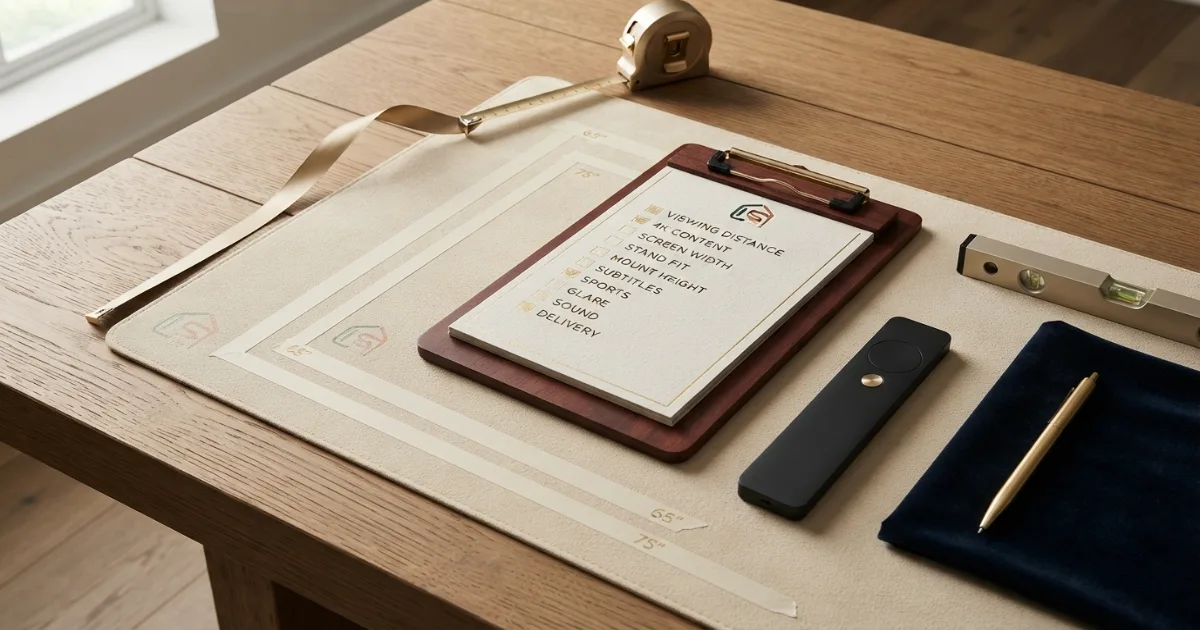
Outline both sizes while the television is off. Judge the wall as part of the room, not only the screen while playing dramatic demo footage. The best option should work during everyday viewing and blend with the space when unused.
A 75-inch TV creates a stronger focal point and often looks better above a broad media console. On a narrow wall, however, it can crowd speakers, trim and decorative lighting.
A 65-inch TV leaves more negative space for artwork, shelving and architectural panels. It suits rooms where television is useful but should not become the dominant visual feature.
How each size changes the room’s design balance
When budget forces a tradeoff between size and picture quality, compare the actual models in the room’s lighting conditions. A premium 65-inch display may outperform a basic 75-inch display in brightness, reflections, motion and black levels.
The larger screen can still provide better long-term value when the viewing distance supports it. Buyers often keep televisions for several years, so stronger subtitle readability and movie immersion may justify the initial difference.
Compare the complete installed cost rather than the television price alone. Moving to 75 inches may require a wider console, stronger mount, professional installation and different soundbar placement.
Price difference and long-term value
A full-motion mount can improve alignment for occasional side viewing, but it requires wall clearance and secure installation. It should not project into a walkway or interfere with doors and furniture.
Test both painter’s-tape outlines from every regularly used seat. A 75-inch screen may feel better from the far side of the room, while a 65-inch screen can feel more comfortable from a chair placed close to the wall.
The larger 75-inch image can help side viewers read subtitles and score graphics, but screen size does not correct poor off-axis picture quality. Panel technology, reflections and seating angle still control how the image looks from the ends of a sectional.
Side seats and viewing-angle planning
A 65-inch model is usually easier to move, unpack and reposition. This practical advantage matters for renters, upstairs rooms and households that expect to relocate the television.
Large televisions should remain upright and protected during transport. Follow the manufacturer’s handling instructions and use enough people for lifting. Do not hold the screen surface or carry the television by one corner.
A 75-inch TV is not only wider on the wall; the shipping carton is also larger and harder to turn through stairs, narrow corridors and apartment doorways. Measure the delivery route before ordering, including elevator openings, stair landings and the space needed to rotate the box.
Delivery, doorway and lifting differences
Final answer: should you buy a 65 or 75-inch TV?
Choose the 65-inch TV for moderate viewing distances, mixed-quality content, easier furniture fit and a calmer visual presence.
Choose the 75-inch TV for longer distances, 4K movies, sports, subtitles and stronger immersion. It is about 8.7 inches wider, 4.9 inches taller and 33.1% larger in visible screen area.
For many family rooms around 9 to 11 feet, 75 inches is the stronger long-term choice when budget and wall width allow it. At shorter distances or in compact rooms, 65 inches remains a balanced option.
Before buying, verify complete product width, foot spacing, mount capacity, viewing height, delivery access and the quality of the specific models being compared.
Calculate your room before buying
Use the free TV Size Calculator, then compare the wall outlines from every regular seat.
Measurement references
The screen dimensions on this page use the standard 16:9 geometry formula. Viewing recommendations are presented as practical ranges because personal preference, source quality and room layout vary.
Two installation categories to compare after choosing the size
Check the selected TV’s VESA pattern, complete dimensions, weight and foot spacing before ordering.
Large-TV Full-Motion Wall Mounts
Compare mounts only after checking VESA compatibility, weight rating and wall construction.
- Confirm both size and weight limits
- Check tilt and extension
- Verify stud requirements
Wide TV Stands and Media Consoles
Compare stand width, top depth, weight capacity and soundbar space against the exact model.
- Check foot spacing
- Confirm depth and capacity
- Allow cable and soundbar room
Affiliate disclosure: As an Amazon Associate, HomeStyle Calculator may earn from qualifying purchases. Product specifications, prices and availability can change.
65 vs 75 inch TV FAQs
Is a 75-inch TV much bigger than a 65-inch TV?
Yes. Although the diagonal increases by 10 inches, a 75-inch 16:9 screen is about 8.7 inches wider, 4.9 inches taller and approximately 33.1% larger in visible screen area than a 65-inch screen.
Should I buy a 65 or 75-inch TV?
Choose 65 inches for moderate viewing distances, mixed-quality television, easier furniture fit and a calmer room. Choose 75 inches for longer distances, 4K movies, sports, subtitles and a more immersive presentation.
How wide is a 65-inch TV?
A 16:9 65-inch screen is approximately 56.7 inches wide and 31.9 inches high before adding the model’s bezels.
How wide is a 75-inch TV?
A 16:9 75-inch screen is approximately 65.4 inches wide and 36.8 inches high before adding bezels.
Is 75 inches too big at 8 feet?
A 75-inch TV at 8 feet creates an immersive field of view. It can work well for 4K movies, sports and gaming, but viewers who prefer relaxed mixed television may favor 65 inches.
Is 65 inches big enough at 10 feet?
A 65-inch TV is usable at 10 feet and feels relaxed. A 75-inch screen usually provides stronger subtitles, sports detail and movie immersion at that distance.
Does a 75-inch TV need a wider stand?
Usually yes. The complete TV is wider and its feet may sit farther apart. Check exact product width, foot spacing, depth and weight before choosing a stand.
Is picture quality more important than moving from 65 to 75 inches?
A better panel, processing, contrast and motion performance can matter more than size when the two models differ significantly in quality. Compare similar-quality models whenever possible.
What viewing distance is best for a 65-inch TV?
A 65-inch 4K TV commonly suits moderate distances around 7.5 to 10.5 feet, depending on viewing preference, eyesight, content and room layout.
What viewing distance is best for a 75-inch TV?
A 75-inch 4K TV commonly suits viewing around 8.5 to 12 feet. The shorter end feels immersive, while the longer end feels more relaxed.