4K viewing distance: Best complete 4K vs 1080p guide
4K viewing distance is shorter than 1080p because each 4K pixel is half as wide and half as tall at the same screen size. A useful clarity guide is about 1.5 times screen height for 4K versus roughly 3 times screen height for 1080p.
Written and reviewed by Rehana K · Measurement-first TV planning method.
4K viewing distance is roughly half the 1080p pixel-visibility distance.
For a 65-inch TV, the close-detail threshold is roughly 4 feet for 4K and 8 feet for 1080p. For a 75-inch TV, it is about 4.6 feet for 4K and 9.2 feet for 1080p.
These are clarity thresholds, not mandatory sofa positions. Comfortable living-room distances are usually farther because field of view, eye movement, content quality and personal preference also matter.
Combine resolution distance with screen size and room comfort
Use clarity thresholds to compare resolutions, then use field of view and physical fit to choose the actual sofa position.
Resolution distance from pixel math to real-room comfort
4K vs 1080p viewing distance calculator
Enter TV size and actual seating distance. The calculator estimates resolution-specific clarity thresholds, pixels per inch and horizontal field of view.
Clarity and field-of-view estimates
About 1.5 × screen height.
About 3 × screen height.
At the entered distance.
Resolution difference can be visible.
At 8 feet from a 65-inch TV, 4K can improve fine detail over 1080p, but content bitrate, eyesight and display quality will affect the result.
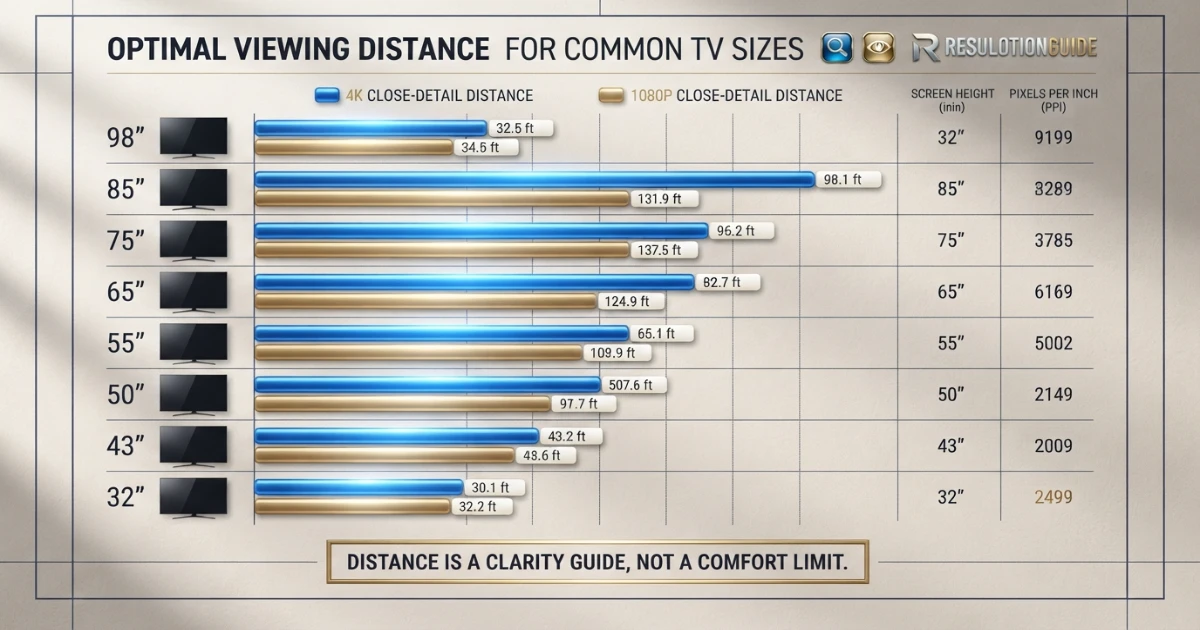
4K viewing distance chart compared with 1080p
The table uses a practical 20/20-vision-style clarity model: approximately 1.5 times visible screen height for 4K and 3 times screen height for 1080p.
| TV size | Screen height | 4K close-detail distance | 1080p close-detail distance | 4K PPI | 1080p PPI |
|---|---|---|---|---|---|
| 32 in | 15.7 in | 2.0 ft | 3.9 ft | 137.7 | 68.8 |
| 43 in | 21.1 in | 2.6 ft | 5.3 ft | 102.5 | 51.2 |
| 50 in | 24.5 in | 3.1 ft | 6.1 ft | 88.1 | 44.1 |
| 55 in | 27.0 in | 3.4 ft | 6.7 ft | 80.1 | 40.1 |
| 65 in | 31.9 in | 4.0 ft | 8.0 ft | 67.8 | 33.9 |
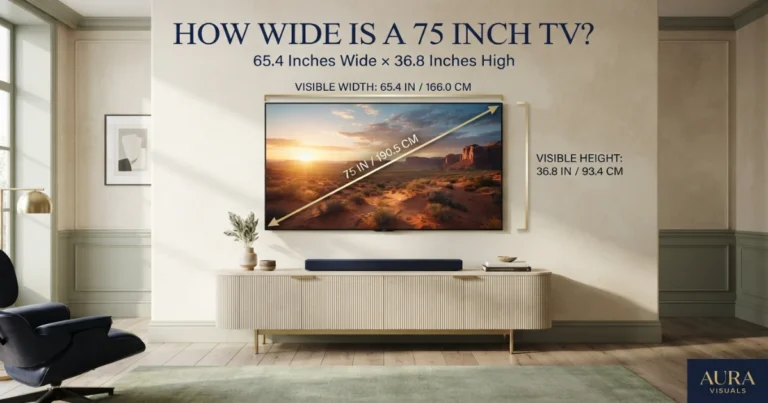
| 75 in | 36.8 in | 4.6 ft | 9.2 ft | 58.7 | 29.4 |
| 85 in | 41.7 in | 5.2 ft | 10.4 ft | 51.8 | 25.9 |
| 98 in | 48.0 in | 6.0 ft | 12.0 ft | 45.0 | 22.5 |
How the 4K viewing-distance math works
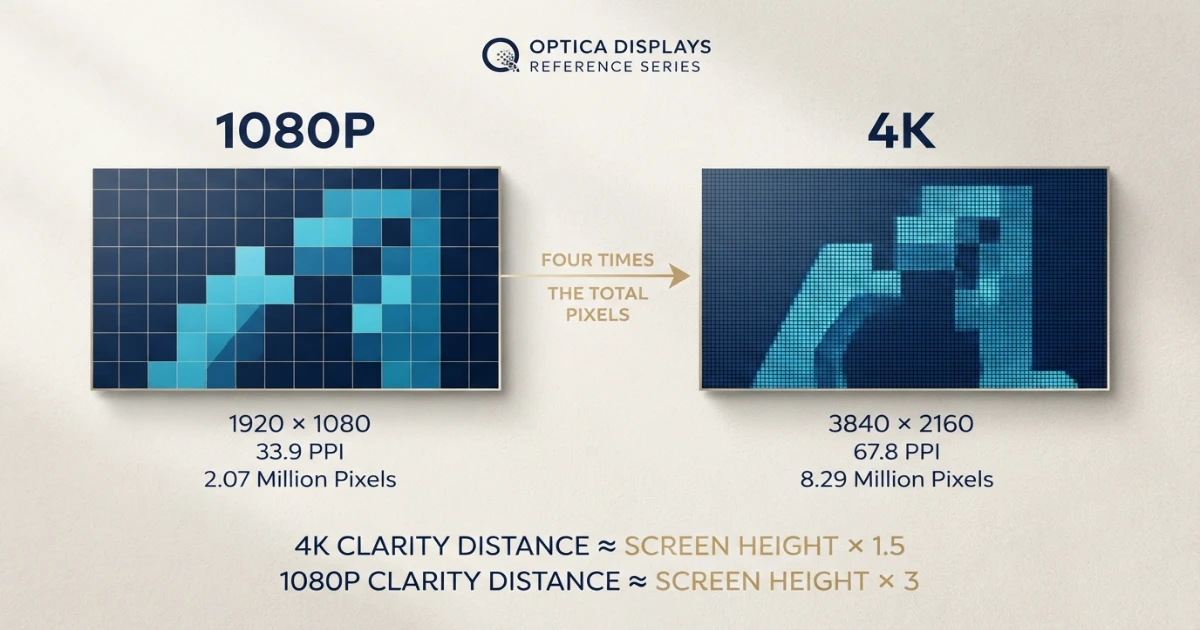
A 4K UHD television contains 3840 horizontal by 2160 vertical pixels. A 1080p television contains 1920 by 1080 pixels.
At the same diagonal size, 4K has twice as many pixels across and twice as many vertically. That produces four times the total pixel count.
Same screen size, smaller pixels
Because 4K pixels are half the height of 1080p pixels, the viewer can move roughly twice as close before individual pixels reach a similar angular size.
For a standard 16:9 TV, screen height is diagonal multiplied by approximately 0.4903. A 65-inch screen is about 31.9 inches high.
4K clarity distance ≈ screen height × 1.5
1080p clarity distance ≈ screen height × 3
That gives approximately 47.8 inches, or 4 feet, for 4K and 95.6 inches, or 8 feet, for 1080p on a 65-inch TV.
The math assumes typical visual acuity. Eyesight, contrast, anti-aliasing, content sharpness, motion and screen processing change the real-world threshold.
What changes between 4K and 1080p distance?
THX explains that higher resolution becomes easier to recognize as the screen grows or viewing distance decreases. Larger screens spread the same number of pixels over more area, making each pixel physically larger.
With 4K, a viewer can sit closer before the pixel grid becomes visible. The inverse is also useful: at the same distance, a larger 4K screen can remain smooth where a similarly sized 1080p screen begins to expose structure.
Fine detail remains smoother at shorter distances.
Higher pixel density supports more screen area.
A larger screen has fewer pixels per inch.
The resolution difference is easiest to see with native high-quality 4K material, detailed textures, sharp text, game interfaces and still images.
The difference becomes less obvious with soft cinematography, heavy motion blur, low-bitrate streams, weak eyesight or distant seating.
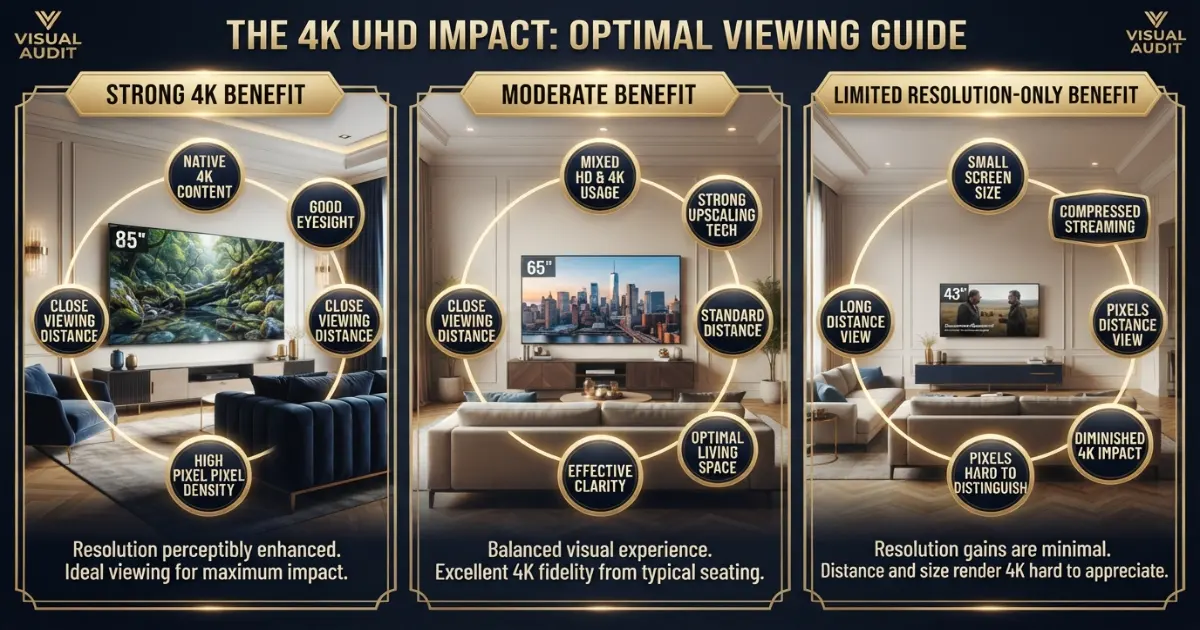
When does 4K resolution matter most?
Large screen, close or moderate distance, native 4K source and good eyesight.
Normal living-room distance, mixed HD and 4K sources, strong upscaling.
Small screen, long distance or heavily compressed content.
THX notes that the benefits of 4K become easier to identify as screen size increases or distance decreases. It also emphasizes that content and upscaling quality affect the result.
At 10 feet, a 50-inch screen may show little resolution-only improvement for many viewers, while an 85-inch or 98-inch screen makes the added pixel density more relevant.
At two or three feet, even a 32 or 43-inch screen can reveal the benefits of 4K for text, graphics and desktop use.
Resolution should not be judged in isolation. Contrast, local dimming, black level, HDR, color accuracy, motion and image processing can create a larger visible improvement than pixel count alone.
Pixel visibility versus field-of-view comfort
Clarity distance answers when pixel structure becomes difficult to resolve. Field of view answers how much of the viewer’s vision the screen occupies.
A 65-inch 4K TV can remain pixel-smooth at roughly 4 feet, but the screen would occupy a very large horizontal field and may require more eye or head movement than a typical living-room viewer wants.
Samsung’s current guide uses a 40-degree immersive field and a distance of approximately screen size multiplied by 1.2. For a 65-inch TV, that is about 78 inches, or 6.5 feet.
THX provides a similar 4K distance rule by dividing screen size by 0.835, which is approximately the same 1.2-times-diagonal relationship.
Many viewers choose farther distances than these immersive references. At 8 to 10 feet, a 65-inch TV produces a calmer field while still benefiting from 4K detail.
The ideal position sits between two limits: close enough for the screen to feel engaging and far enough that scanning, subtitles and low-quality content remain comfortable.
Native 4K, upscaled HD and streaming compression
A 4K display cannot create missing source detail. It must scale 1080p, 720p and standard-definition content to its native pixel grid.
Strong upscaling can smooth edges, reduce noise and preserve texture. Weak upscaling can create ringing, oversharpening, waxy surfaces or unstable fine detail.
A native 4K stream can still look poor when bitrate is low. Compression may remove texture or create blocking and banding before resolution becomes the limiting factor.
Disc-based 4K content and high-bitrate downloads often show a clearer advantage than aggressively compressed streaming.
Streaming apps may change resolution dynamically with network conditions. Check the service plan, device output, HDMI settings and actual playback information.
HDR is separate from resolution. A well-mastered HDR image can look dramatically better through brightness, contrast and color even when the visible resolution difference is modest.
4K vs 1080p viewing distance examples
43-inch TV: The 4K close-detail distance is about 2.6 feet, while 1080p is about 5.3 feet. At an 8-foot sofa distance, resolution-only differences can be subtle.
55-inch TV: The 4K threshold is about 3.4 feet and the 1080p threshold is about 6.7 feet. At 6 feet, 4K can look noticeably cleaner.
65-inch TV: The 4K threshold is about 4 feet and the 1080p threshold is about 8 feet. At 8 feet, 1080p pixel structure is near the practical visibility boundary.
75-inch TV: The 4K threshold is about 4.6 feet and the 1080p threshold is about 9.2 feet. At 9 or 10 feet, 4K supports the larger screen more convincingly.
85-inch TV: The 4K threshold is about 5.2 feet and the 1080p threshold is about 10.4 feet. At standard large-room distances, 4K detail is increasingly valuable.
98-inch TV: The 4K threshold is about 6 feet and the 1080p threshold is about 12 feet. A 1080p image can look visibly coarse from a normal media-room seat.
How eyesight changes the result
A person with sharper-than-average corrected vision may notice resolution differences from farther away. A viewer with reduced acuity may need to sit closer or use a larger screen.
Contrast sensitivity also matters. Fine low-contrast texture can disappear before high-contrast text or pixel edges.
Prescription changes, dry eyes, glare and room brightness can affect perceived sharpness. Compare TVs using normal glasses or contact lenses and typical room lighting.
Do not treat a calculated threshold as a medical assessment. The tool estimates display geometry, not individual visual performance.
4K viewing distance for gaming
Gaming adds HUD text, targeting reticles and interactive detail. 4K can make fine interface elements cleaner, especially on large TVs at close sofa distances.
Competitive players may prefer a smaller screen or farther position so the complete HUD remains easy to scan. Cinematic, racing and split-screen players may choose the larger end.
Frame rate, input lag, motion clarity, VRR and game-mode processing can matter more than resolution during fast action.
Some games render below native 4K and reconstruct the output. The visual benefit varies by title and performance mode.
Use the TV Size for Gaming Guide for play-style-specific recommendations.
Broadcast, sports and older content
Sports broadcasts may use 720p or 1080i even when displayed on a 4K TV. Sitting very close can expose compression, noise and motion artifacts.
Older movies and television can contain film grain or limited source detail. A quality 4K restoration can look excellent, while a poor master remains soft.
News graphics and text can benefit from clean scaling, but low-quality feeds may show edge artifacts on a large screen.
Choose a distance that works for the content watched most often rather than only premium 4K demos.
Room lighting, glare and perceived detail
Glare can hide fine detail even when resolution and distance are ideal. Check windows, lamps and ceiling reflections before final placement.
Bright rooms can reduce perceived contrast. A television with strong brightness and reflection handling may look sharper in practice than a higher-resolution display with poor glare control.
Dark rooms reveal black-level, blooming and shadow-detail differences more clearly. Resolution is only one part of the image.
Keep the screen center close to seated eye level. Viewing off-axis or mounting too high can reduce contrast and color on some panel types.
Step-by-step resolution-distance process
Use the actual sofa or chair position.
Use the general calculator and room layout.
Use the dimensions chart or exact product specifications.
Multiply screen height by approximately 1.5.
Multiply screen height by approximately 3.
Outline the TV and test edge scanning and subtitles.
Consider native 4K, bitrate, upscaling and typical broadcast sources.
Use normal vision correction and realistic room conditions.
Check wall, TV stand, width and mounting height.
Use the same viewing distance and picture mode.
Common 4K viewing-distance mistakes
- Treating pixel-visibility distance as the required sofa position.
- Assuming 4K always looks better regardless of source quality.
- Ignoring field of view and excessive eye movement.
- Comparing TVs with different picture modes or brightness.
- Using highly compressed streaming as the only 4K test.
- Ignoring upscaling quality for HD broadcasts.
- Assuming every app is outputting native 4K.
- Confusing HDR with resolution.
- Choosing a small TV too far away to reveal extra detail.
- Sitting too close to poor-quality content.
- Ignoring eyesight and normal vision correction.
- Mounting the screen above the preferred viewing angle.
- Prioritizing pixel count over contrast, motion and processing.
- Buying before outlining screen size on the wall.
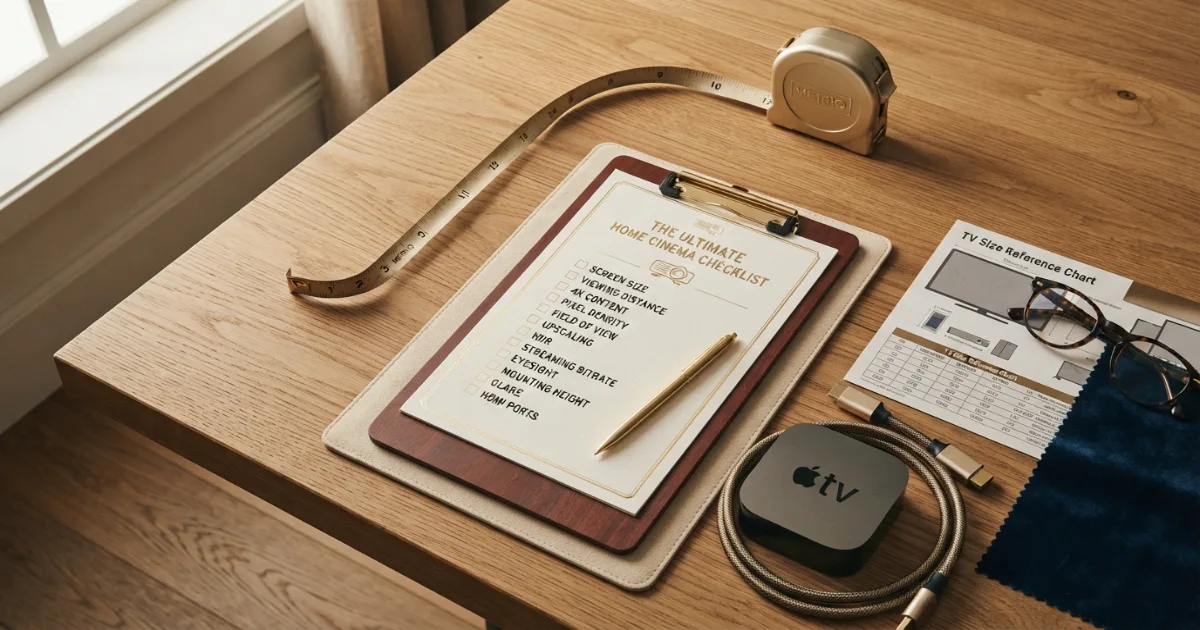
4K viewing distance buying checklist
- Exact eye-to-screen distance.
- Candidate TV diagonal sizes.
- Visible screen height.
- 4K close-detail threshold.
- 1080p close-detail threshold.
- Horizontal field of view.
- Native 4K content availability.
- Typical streaming bitrate and plan.
- Upscaling quality for HD sources.
- HDR brightness and tone mapping.
- Contrast, black level and local dimming.
- Motion handling and refresh rate.
- Gaming resolution and performance modes.
- Eyesight and vision correction.
- Room lighting and glare.
- Screen-center mounting height.
- Complete wall or TV-stand fit.
- HDMI and streaming-device output settings.
- Adjacent sizes tested with painter’s tape.
- Real content compared from the actual seat.
Leave enough wall, stand and delivery space for the selected model. Resolution cannot solve poor physical fit or uncomfortable mounting height.
Buy for the current seating distance and content mix. Do not pay for a dramatic size increase that overwhelms the room simply because 4K technically allows closer viewing.
Check HDMI capability, streaming-app support, HDR formats, refresh rate, software updates and available ports. A display with stronger fundamentals can remain useful longer than a larger screen with weak processing.
4K is now the practical baseline for most large televisions, but future-proofing should focus on the complete system rather than pixel count alone.
Future-proofing without overspending
Compare native 4K, high-quality 1080p and compressed streaming separately. The result should reflect the content actually watched at home.
Disable exaggerated sharpness settings. Artificial edge enhancement can make one display appear more detailed while adding halos and noise.
Choose scenes with fine texture, high-contrast text, faces, natural foliage and controlled motion. Pause when necessary, but also watch moving content because compression and processing can change the result.
Use the same screen size, viewing distance, picture mode, brightness and source material. Comparing a premium 4K TV with a budget 1080p model mixes resolution with panel and processing differences.
How to compare 4K and 1080p fairly
Extra-large screen, 98 inches at 12 feet: 1080p can look coarse. Native 4K or high-quality upscaling becomes a major part of the viewing experience.
Media room, 85 inches at 9 feet: 4K provides a substantial resolution advantage, though source bitrate and motion quality remain important.
Large living room, 75 inches at 10 feet: 4K is a strong match because the larger image would expose 1080p limitations more easily.
Family room, 65 inches at 8 feet: This sits near the practical 1080p clarity boundary. 4K supports finer texture and cleaner edges.
Bedroom, 55 inches at 6 feet: 4K can look cleaner than 1080p, especially for text, games and native high-quality content.
Small apartment, 43 inches at 8 feet: The resolution-only benefit may be subtle. Better contrast, streaming quality and glare control can create a larger improvement.
4K versus 1080p room scenarios
When furniture cannot move, 4K can make a larger screen practical without increasing viewing distance. Use painter’s tape to test both the closer field of view and the full wall composition.
Close seats should still be checked for field-of-view comfort. Resolution may remain smooth while subtitles, sports graphics or game HUD elements require too much eye movement.
This is especially useful in multipurpose rooms where one person sits on a close chair and others use a distant sectional. A 4K screen can serve both positions more gracefully than a same-size 1080p display.
Higher pixel density widens the acceptable distance range. A viewer can sit closer without seeing the pixel grid, while farther seats still benefit from the larger screen and improved processing.
How 4K gives more seating flexibility
Do not replace a high-quality 1080p display solely because a chart says 4K is closer. Compare the complete image, the content you watch and the physical size you plan to buy.
Upgrade value also depends on the rest of the display. Better contrast, HDR brightness, local dimming, motion performance and image processing can matter more than resolution when moving from an older TV to a newer one.
For a 55-inch TV at 10 feet, resolution alone may not create a dramatic improvement for every viewer. For a 75 or 85-inch TV at the same distance, the added pixel density becomes more useful because each 1080p pixel would be physically larger.
An upgrade is easiest to justify when the current screen is large, the sofa is close enough to reveal pixel structure, and native 4K content is watched regularly.
Should you upgrade from 1080p to 4K at your distance?
Final answer: 4K vs 1080p viewing distance
4K viewing distance can be roughly half the 1080p pixel-visibility distance at the same screen size because 4K pixels are half as wide and half as tall.
Use approximately 1.5 times screen height as a 4K close-detail guide and 3 times screen height for 1080p. Then choose the actual sofa position from field-of-view comfort, content quality and room layout.
4K matters most on larger screens, at closer distances and with native high-quality content. At long distances on smaller screens, contrast, HDR, motion and processing may create a bigger visible difference than resolution alone.
Need the correct TV size for your actual sofa distance?
Use the free TV Size Calculator, then compare its result with the resolution chart.
Official viewing and resolution references
Two setup categories to compare
Verify exact compatibility, certification and measurement range before ordering.
Laser Distance Measures
Useful for measuring eye-to-screen distance, wall width and room layout accurately.
- Check inch and metric modes
- Compare accuracy specification
- Measure from the actual seat
Certified Ultra High Speed HDMI Cables
Useful for 4K high-bandwidth sources when the TV and device support the required mode.
- Look for certification
- Use practical cable lengths
- Verify device and TV ports
Affiliate disclosure: As an Amazon Associate, HomeStyle Calculator may earn from qualifying purchases. Product specifications, prices and availability can change.
4K viewing distance FAQs
What is the best 4K viewing distance?
A practical close-detail guide is about 1.5 times the visible screen height. For a 65-inch 16:9 TV, that is roughly 4 feet, although many viewers prefer 7.5 to 10 feet for comfort and field of view.
How does 4K viewing distance differ from 1080p?
At the same TV size, 4K pixels are half as tall and half as wide as 1080p pixels. A practical 1080p clarity distance is about twice the 4K distance, or roughly three times screen height versus 1.5 times for 4K.
How far should I sit from a 65-inch 4K TV?
Around 4 feet is a close-detail threshold, while approximately 7.5 to 10 feet is a common comfortable living-room range depending on desired immersion.
How far should I sit from a 65-inch 1080p TV?
Around 8 feet is a practical pixel-visibility threshold. Sitting closer can make pixel structure and lower-resolution artifacts more noticeable.
Can you sit too close to a 4K TV?
Yes. Even when pixels remain invisible, an overly large field of view can require excessive eye or head movement and make low-quality content look worse.
Does 4K always look better than 1080p?
Not always. The benefit depends on screen size, distance, eyesight, native content, bitrate, display quality, upscaling, contrast and motion performance.
Is 4K worth it at 10 feet?
It can be worthwhile on larger screens. At 10 feet, the resolution-only difference is more noticeable on 75, 85 or 98-inch TVs than on a 43 or 50-inch TV.
Does streaming compression reduce the 4K benefit?
Yes. Low bitrate, compression artifacts and poor source mastering can limit visible detail even when the stream is labeled 4K.
Is field of view more important than pixel visibility?
For comfort and immersion, often yes. A distance can hide pixels yet still feel too close or too far for the viewer’s preferred screen coverage.
Should 4K and 1080p TVs use the same mounting height?
Yes. Resolution does not change the preferred vertical position. Keep the screen center near seated eye level and generally within about 15 degrees vertically.