TV size for gaming: Best complete distance guide
TV size for gaming should match the player’s eye-to-screen distance and play style. Competitive games usually favor a slightly smaller field of view, while cinematic, racing, sports and split-screen games benefit from a larger picture.
Written and reviewed by Rehana K · Measurement-first gaming setup method.
TV size for gaming: match screen size to distance and play style.
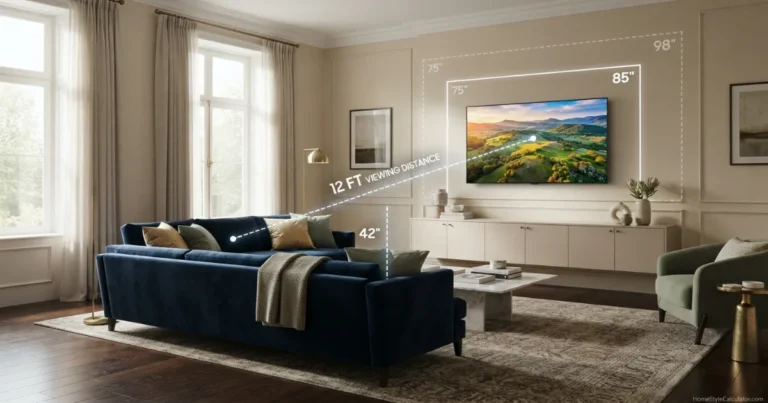
At 6 to 8 feet, start around 50 to 65 inches. At 8 to 10 feet, start around 55 to 75 inches. At 10 to 12 feet, start around 65 to 85 inches.
Choose the lower end for competitive shooters and strategy games where the entire HUD must remain easy to scan. Choose the upper end for racing, sports, adventure, cinematic and split-screen play.
Combine gaming distance with physical dimensions and mounting height
Choose the diagonal, confirm wall or furniture fit, verify gaming features and keep the screen center comfortable.
Gaming TV size from distance formula to feature checklist
Gaming TV size calculator
Enter gaming distance, play style, resolution and split-screen use. The tool recommends a common TV size and estimated horizontal field of view.
Recommended common size
Nearest common screen size.
Before common-size rounding.
At the entered distance.
Mixed console and PC gaming.
A 65-inch 4K TV is a balanced starting point for gaming from 9 feet. Outline adjacent sizes before buying.
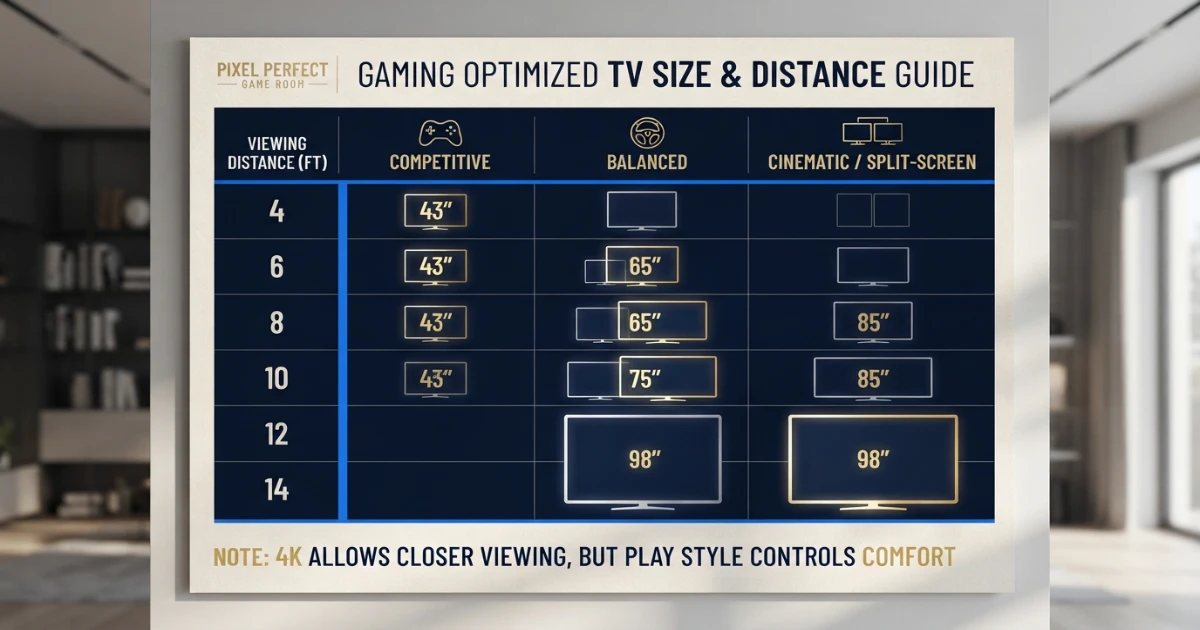
TV size for gaming distance chart
This TV size for gaming chart separates competitive, balanced and cinematic play because one sofa distance does not produce one universally correct screen size.
| Gaming distance | Competitive | Balanced | Cinematic / split-screen | Typical room |
|---|---|---|---|---|
| 3–4 ft | 32–43 in | 43–50 in | 48–55 in | Desk / compact room |
| 5–6 ft | 43–50 in | 50–55 in | 55–65 in | Small gaming room |
| 7–8 ft | 50–55 in | 55–65 in | 65–75 in | Apartment / bedroom |
| 9–10 ft | 55–65 in | 65–75 in | 75–85 in | Standard family room |
| 11–12 ft | 65–75 in | 75–85 in | 85–98 in | Large family room |
| 13–14 ft | 75–85 in | 85–98 in | 98–115 in | Extra-large room |
Why play style changes the best TV size
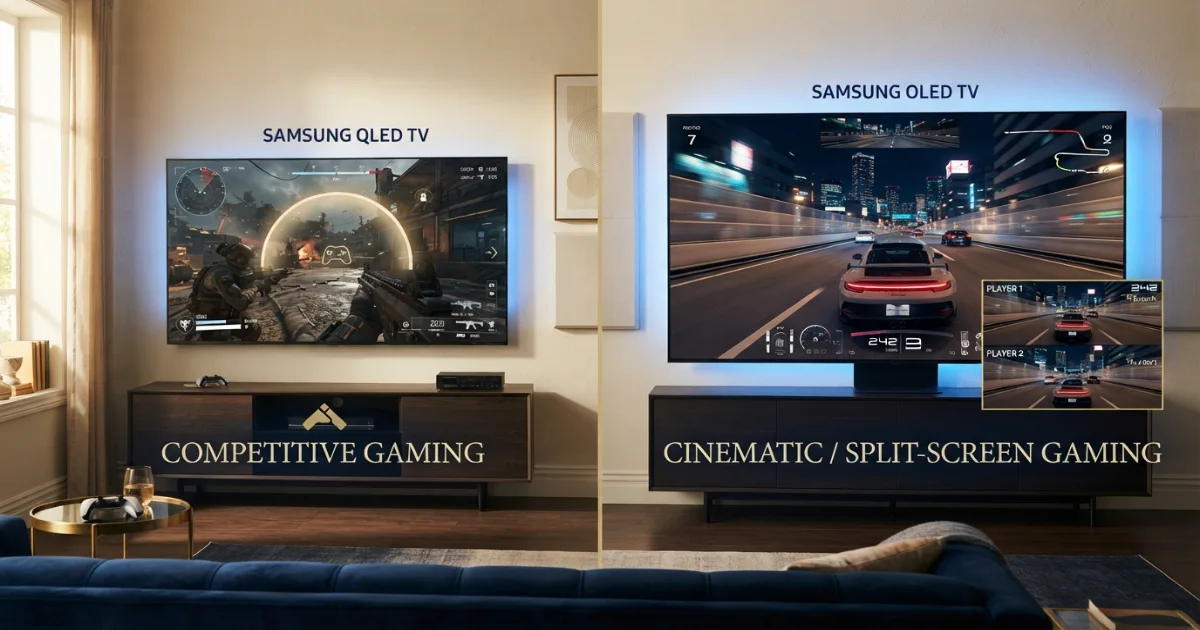
Screen-size advice for movies assumes the viewer wants immersion. Gaming adds interaction, HUD elements, targeting, map awareness and rapid eye movement.
Keep corners, radar, health and objectives inside quick peripheral awareness.
Mix shooters, sports, RPGs, streaming and general family use.
Prioritize racing, flight, adventure, sports and visual immersion.
Competitive players often sit closer or choose a smaller screen because large eye movements can slow scanning. Cinematic players may accept more eye movement in exchange for scale.
Game interface design matters. A title with small corner text can feel harder on an oversized screen than a racing game with central information.
Test actual gameplay rather than only trailers. Use painter’s tape to outline two sizes, then imagine the HUD at each corner.
How 4K, 1440p and 1080p affect gaming distance
Sony’s current 4K viewing guidance uses approximately 1.5 times the vertical screen height as a close-distance reference. Higher resolution allows viewers to sit closer before individual pixels become distracting.
That does not mean the closest pixel-safe distance is the most comfortable gaming distance. Field of view, motion, HUD scanning and eyesight still control the practical choice.
At 4K, a 65 or 75-inch screen can remain detailed at normal sofa distances. At 1080p, the same large screen can expose jagged edges, scaling artifacts and compression more clearly.
Many console games use dynamic resolution or performance modes. The output may change during play, so choose size for the overall experience rather than a single advertised number.
For PC gaming, render resolution, desktop scaling and text size can make a large TV usable at a desk, but a monitor may remain more practical for close keyboard-and-mouse use.
Best TV size for competitive gaming
Competitive shooters, fighting games and strategy titles reward fast scanning. The complete game image should remain easy to read without turning the head.
At 6 feet, 43 to 50 inches is a controlled competitive range. At 8 feet, 50 to 55 inches is conservative, while 65 inches feels more immersive. At 10 feet, 55 to 65 inches is a practical starting range.
Low input lag and consistent game-mode processing can matter more than moving to a larger diagonal. Compare gaming measurements within the same picture-quality class.
A 120 Hz panel can improve motion clarity and responsiveness when the console, game and TV support the same mode. PlayStation and Xbox both support 4K output up to 120 Hz with compatible displays and games.
Use a wired network or stable low-latency connection for online play. Display size cannot compensate for network delay.
Best TV size for cinematic, racing and sports games
Racing, flight, adventure and sports games benefit from scale. A larger field can make cockpit views, stadiums and open worlds feel more convincing.
At 8 feet, 65 to 75 inches creates strong immersion. At 10 feet, 75 to 85 inches is a cinematic range. At 12 feet, 85 inches or larger can preserve detail and impact.
Large screens also make subtitles, menus and accessibility text easier to read from a sofa. They can expose low-resolution textures and weak anti-aliasing more clearly.
For motion-heavy games, prioritize strong response behavior and refresh performance. A bigger screen magnifies blur, judder and frame-rate instability.
Best TV size for split-screen and local multiplayer
Split-screen divides the available picture into smaller windows. A 65-inch TV split between two players can feel like two much smaller displays, while four-player layouts reduce each section further.
Moving one common size larger can improve map, text and target visibility without changing the sofa position.
At 8 feet, 65 to 75 inches works well for two-player split-screen. At 10 feet, 75 to 85 inches is easier to read. Four-player games may justify the larger end when the room allows it.
Players should remain near the screen center. Side seats can experience weaker contrast, color or glare depending on panel type.
Gaming TV size for a desk or close chair
At two to four feet, television-sized displays become extremely immersive. A 32 to 43-inch screen is more manageable for close keyboard-and-mouse use.
A 48-inch OLED-style display can work on a deep desk, but text scaling, window management and screen height require careful planning.
THX provides a 28-inch desktop-display distance as a general desk-system reference, but the ideal size still depends on resolution and interface scale.
Use a low stand or wall mount so the screen center remains close to eye level. Oversized desk displays can force constant head movement.
Check for automatic brightness limiting, text clarity, chroma support and static-interface protection when using a TV as a PC monitor.
Gaming features that matter after size
Verify the exact model and HDMI port
Gaming features can vary by screen size, region, firmware and input. Do not assume every HDMI port supports the same bandwidth.
PlayStation confirms PS5 support for HDMI 2.1 and 4K 120 Hz output. Xbox also documents 4K gaming at 120 Hz and supports VRR and ALLM on compatible setups.
VRR can reduce visible tearing and judder when frame rate changes. ALLM can switch a compatible TV into low-latency mode automatically.
Check whether 4K 120 Hz, VRR, HDR and chroma requirements work together on the selected input. Some televisions limit features when multiple settings are enabled.
Input lag should be checked in the resolution and refresh mode actually used. A television can perform differently at 60 Hz and 120 Hz.
HDR brightness and contrast matter for dark games, but aggressive tone mapping can hide shadow detail. Use the console’s HDR calibration after choosing the preferred TV game mode.
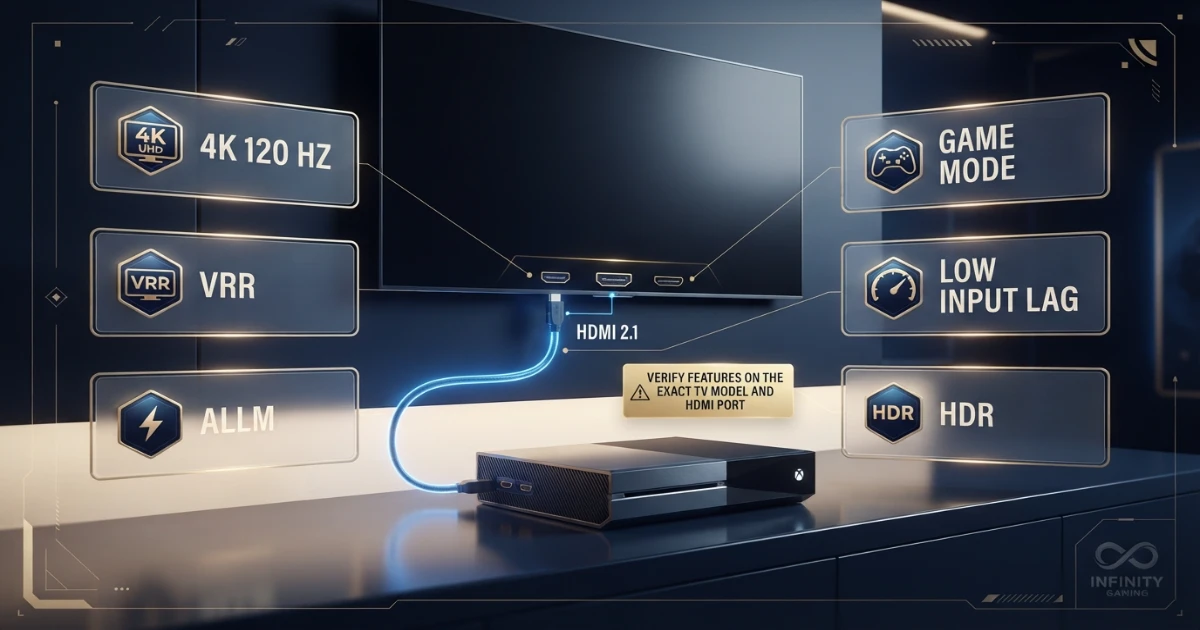
PS5, Xbox and family-console gaming needs
PS5 and Xbox Series consoles can use 4K output, HDR, VRR and high-refresh modes when the game and display support them. A larger TV can make current-generation visual detail more obvious.
Family and local-multiplayer gaming often benefits from a larger shared screen because several players sit at different positions and split-screen or party interfaces use smaller elements.
Retro and lower-resolution games can look softer on very large screens. Integer scaling, emulation settings and display processing affect the result.
Choose the TV for the games played most often rather than the maximum specification on the console box.
Panel type, viewing angles and room lighting
Wide seating arrangements need strong off-axis performance because local multiplayer players may sit far from the center.
Deep blacks improve dark-room games, while bright-room performance and reflection control matter for daytime sports and family gaming.
OLED-type displays can provide excellent response behavior and contrast, but static HUD management and brightness behavior should be understood. LED and mini-LED models can offer higher brightness and different blooming characteristics.
Panel quality can matter more than moving one size larger. A high-quality 65-inch TV may provide a better gaming experience than a budget 75-inch model with poor motion and input performance.
Gaming TV mounting height and posture
Keep the screen center close to seated eye level. THX recommends remaining approximately within 15 degrees above or below center for comfortable viewing.
Competitive gaming benefits from a centered screen because corner HUD elements remain symmetrical in the player’s vision.
A console or soundbar should not force the TV unnecessarily high. Calculate the bottom and top edges from the screen center rather than choosing an arbitrary gap above furniture.
Use the TV Mounting Height Guide for the complete formula.
For desk gaming, keep the top portion of the screen from towering above the natural line of sight. A deep desk or articulated mount can improve distance.
TV size for gaming room examples
Small bedroom at 5 feet: A 43 to 50-inch TV is balanced. A 55-inch screen is immersive for controller gaming.
Apartment sofa at 7 feet: A 55-inch screen suits mixed games, while 65 inches creates a more cinematic feel.
Family room at 9 feet: A 65-inch TV is balanced. A 75-inch screen is stronger for racing, sports and split-screen.
Living room at 10 feet: Choose 65 inches for competitive control, 75 inches for balance and 85 inches for cinema-like scale.
Large room at 12 feet: A 75-inch TV is relaxed, 85 inches is balanced and 98 inches is strongly immersive.
Four-player party setup: Choose the larger end of the range and arrange seats so every player sees the screen without severe side angles.
Why low input lag can matter more than one size step
Input lag is the delay between a controller action and the visible response. Competitive players can notice this delay even when the picture looks excellent.
Game mode usually reduces processing, but the exact delay can change with resolution, refresh rate, HDR, motion settings and VRR.
Compare televisions in the actual mode you plan to use. A model that performs well at 4K 60 Hz may behave differently at 4K 120 Hz.
Do not disable every picture feature blindly. Use the lowest-latency mode that still provides acceptable brightness, contrast and clarity.
Audio, eARC and gaming-room layout
A larger screen can encourage wider seating, which makes soundbar alignment and speaker coverage more important.
eARC can send high-quality audio from the TV to a compatible sound system, but HDMI-port availability may become limited when consoles, receivers and other devices are connected.
Check whether the TV offers enough full-bandwidth ports for every gaming device. Some models provide high-bandwidth features on only selected inputs.
Keep consoles ventilated and do not pack them into closed cabinets without airflow. Heat can affect performance and reliability.
Step-by-step gaming TV size process
Use the player’s normal seated or desk position.
Competitive, balanced, cinematic or local multiplayer.
Use the mode played most often, not only the console maximum.
Identify two adjacent common TV sizes.
Check HUD scanning and head movement.
Use complete dimensions, feet spacing and weight.
Check HDMI 2.1, 4K 120, VRR and ALLM on exact ports.
Compare performance in the resolution and refresh mode used.
Keep the display close to seated eye level.
Review daytime, nighttime and multiplayer positions.
Common gaming TV size mistakes
- Choosing the largest TV without measuring distance.
- Using movie-size guidance for competitive gaming without adjustment.
- Ignoring HUD position and required eye movement.
- Choosing a small screen for frequent four-player split-screen.
- Assuming every game renders at native 4K.
- Buying 120 Hz without verifying 4K 120 support on the correct HDMI port.
- Confusing panel refresh rate with supported console input modes.
- Ignoring VRR range and compatibility.
- Prioritizing size over input lag, motion and contrast.
- Mounting the TV too high above a console.
- Ignoring side-viewing performance for local multiplayer.
- Forgetting soundbar, console ventilation and cable access.
- Using an oversized TV at a shallow desk.
- Skipping painter’s-tape size testing.
TV size for gaming buying checklist
- Exact eye-to-screen gaming distance.
- Competitive, balanced or cinematic preference.
- Frequency of split-screen gaming.
- Typical 4K, 1440p or 1080p output.
- Recommended common TV size.
- Complete TV width and height.
- Wall or TV-stand fit.
- Native panel refresh rate.
- 4K 120 Hz input support.
- VRR format and supported range.
- ALLM and game-mode behavior.
- Input lag at 60 and 120 Hz.
- HDR performance and calibration.
- Number and capability of HDMI ports.
- eARC needs for audio equipment.
- Screen-center mounting height.
- Glare and reflection control.
- Side-seat viewing quality.
- Console and equipment ventilation.
- Warranty and firmware support.
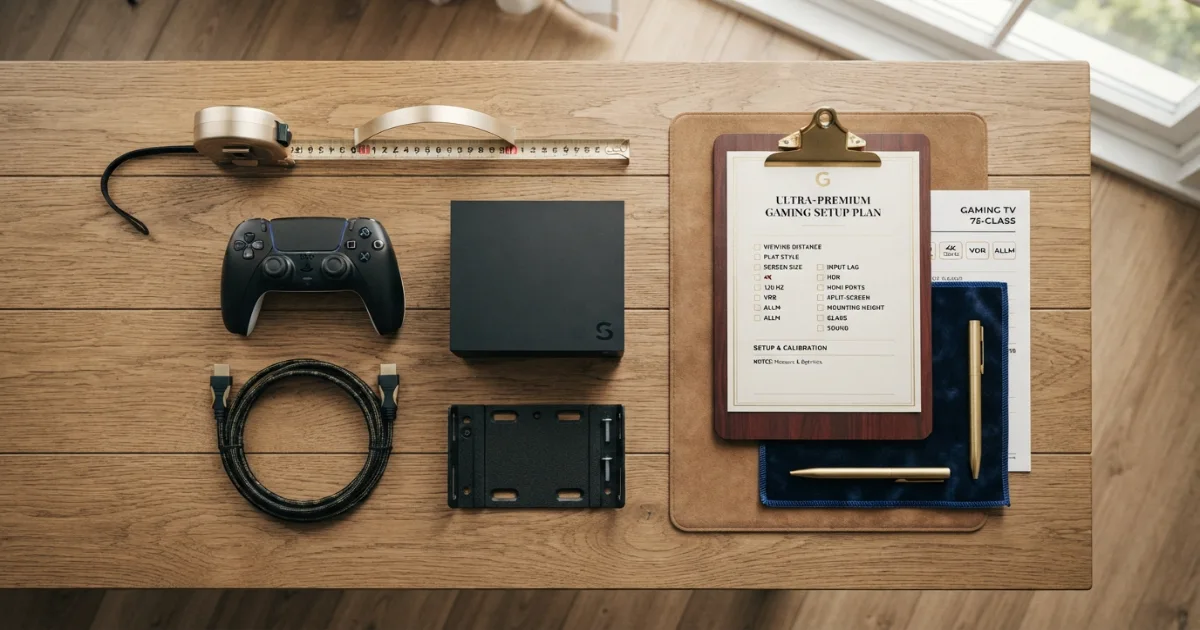
Size should still be chosen for comfort today. A well-positioned 65-inch screen with strong gaming performance will usually age better than an oversized 75-inch or 85-inch model that causes constant eye movement or does not fit the room properly.
Firmware support also matters because manufacturers can improve compatibility, fix VRR issues and update gaming menus. Review the model’s update policy and keep the TV connected securely when installing firmware.
Leave room for a second console, sound system or PC connection. A television with excellent gaming performance but too few suitable inputs can require frequent cable changes or an external switch.
Future-proof the feature set by checking whether the exact TV supports the resolutions, refresh rates and variable-refresh formats used by your current devices. Confirm how many HDMI ports provide the full gaming specification rather than assuming every input is identical.
Do not buy a larger screen only because future consoles may become more powerful. The viewing distance, wall width and preferred field of view will remain the strongest size constraints.
How to future-proof a gaming TV size decision
Final answer: best TV size for gaming distance
TV size for gaming should be chosen from eye-to-screen distance and play style rather than room size alone.
Use the lower end of the chart for competitive play, the middle for mixed gaming and the upper end for racing, sports, cinematic and split-screen experiences.
After selecting the diagonal, verify game-mode latency, 4K 120 Hz, VRR, ALLM, HDMI-port capability, physical fit, mounting height and room reflections on the exact television model.
Need a general room-size recommendation too?
Use the free TV Size Calculator and compare its result with the gaming-specific recommendation.
Official gaming and viewing references
Two gaming-setup categories to compare
Verify exact compatibility, bandwidth, dimensions and manufacturer specifications before ordering.
HDMI 2.1 Gaming Cables
Compare certified cable length and bandwidth for 4K 120 Hz setups.
- Check Ultra High Speed certification
- Use the shortest practical length
- Verify complete signal chain
Gaming TV Wall Mounts
Compare low-profile, tilting and full-motion mounts by VESA, weight and cable access.
- Confirm TV weight and VESA
- Keep screen center comfortable
- Plan HDMI cable movement
Affiliate disclosure: As an Amazon Associate, HomeStyle Calculator may earn from qualifying purchases. Product specifications, prices and availability can change.
TV size for gaming FAQs
What is the best TV size for gaming?
The best size depends on viewing distance and play style. Around 55 inches suits many 6 to 8-foot setups, 65 inches suits roughly 8 to 10 feet, 75 inches suits about 9.5 to 12 feet and 85 inches suits larger 11 to 14-foot rooms.
Is a 65-inch TV too big for gaming?
Not for many sofa setups. At roughly 8 to 10 feet, a 65-inch 4K TV can provide a strong balanced field of view without forcing excessive head movement.
Is a 75-inch TV good for gaming at 10 feet?
Yes. A 75-inch TV at 10 feet feels immersive and works especially well for racing, sports, adventure and split-screen play. Competitive players may prefer 65 inches.
What TV size is best for competitive gaming?
Competitive gaming usually benefits from a slightly smaller field of view so HUD elements and screen edges remain easy to scan. At 8 feet, 55 to 65 inches is a common starting range.
What TV size is best for split-screen gaming?
Split-screen play benefits from more picture area because each player receives a smaller section. At normal sofa distances, moving one size larger can improve readability.
Does 4K let me sit closer to a gaming TV?
Yes. Higher pixel density makes individual pixels less visible at closer distances, although comfort, field of view and game interface layout still matter.
Do I need 120 Hz for console gaming?
No, but compatible consoles and games can use up to 120 Hz for smoother motion. The exact TV must support the required resolution and refresh rate on the correct HDMI port.
What are VRR and ALLM?
Variable Refresh Rate synchronizes display refresh with game output to reduce tearing and judder. Auto Low Latency Mode can switch a compatible TV into a low-latency mode automatically.
Is input lag more important than screen size?
For competitive play, low input lag and stable motion can matter more than choosing the largest screen. Compare similar-quality gaming modes before prioritizing diagonal size.
Should a gaming TV be mounted at eye level?
Yes. Keep the screen center close to seated eye level and generally within about 15 degrees vertically to reduce neck strain and off-axis picture changes.